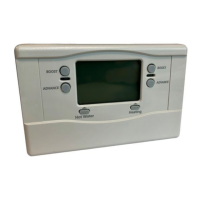
Setting Your Programmer
Setting the Correct Date/Time
To set the correct date and time, unclip the fascia on
the front of the programmer.
STEP 1
Move the slider to the
Set Date/Time position.
The day of the month
will now be flashing
to indicate it can be
changed.
STEP 2
To change the day, press the + or
–
buttons until the
correct day is displayed. Then press the Confirm/Next
button to confirm and move to the next setting.
STEP 3
Set the month, year and time in the same way, pressing
Confirm/Next to move on each time.
STEP 4
Move the slider to Run Programme to complete
setting the date and time.
Setting the Hot Water Programme
The hot water programme has three ON/OFF switching
times per day. Each time can be set between 3.00 am and
2.50 am (on the next day) to allow you to programme
the hot water to stay on past midnight, if required.
STEP 5
Move the slider to the Set Hot Water position. The
words HOT WATER will now be visible on the display
and the days for Monday to Friday and the first ON
time will now be flashing.
STEP 6
Use the + and – buttons to set the first ON time. Each
press of the button will change the time by 10 minutes.
STEP 7
Press the Confirm/Next button once to confirm any
changes and display the first OFF time. Set this time
using the + and
–
buttons.
STEP 8
By pressing the
Confirm/Next
and + or
–
buttons the
two remaining ON/OFF times can be set. If you only
require two ON/OFF times per day it is recommended
you set the second OFF time equal to the second ON
time. Be sure to press
Confirm/Next
after making any
changes.
STEP 9
This completes setting the hot water programme for
Monday to Friday.
You now have a choice to set the programme for
Saturday and Sunday:-
Choice 1 Press the Day button to switch to
programming Saturday and Sunday. The ON/OFF
times for Saturday and Sunday can then be set as
described in steps 6 to 8.
or
Choice 2 Press the Copy button to copy the Monday
to Friday programme into Saturday and Sunday.
*NOTE*
1. When pressing the + button, the next ON or OFF
marker may start to flash. If this happens the next
programme time will have been changed. Press
the Confirm/Next button to check and adjust this
programme time if necessary.
2. When pressing the - button, the previous ON or OFF
marker may start to flash. If this happens the previous
programme time will have been changed. Follow the
procedure in “Reviewing Programme Times” to
check and adjust this time if necessary.
Moving the slider to the next position completes
setting the hot water programme.
Setting the Heating Programme
The heating programme has three ON/OFF switching
times for every day. Each time can be set between
3.00 am and 2.50 am (on the next day) to allow you
to programme the heating to stay on after midnight
if required.
STEP 10
Move the slider to the Set Heating position. The word
HEATING will now be visible on the display, and the
days Monday to Friday and the first ON time will now
be flashing.
STEP 11
The required heating programme for Monday to Friday
and Saturday/Sunday can now be set by following
the same procedure as “Setting the Hot Water
Programme” in steps 6 to 9.
STEP 12
Moving the slider to the next position completes
setting the heating programme.
Reviewing Programme Times
To review your hot water programme move the slider
to the Set Hot Water position.
To review your heating programme move the slider to
the Set Heating position.
To review the programme times for a day press the
Confirm/Next button repeatedly. Any of these times
can be adjusted by using the + and
–
buttons.
Press the Day button to review weekday or weekend
programmes.
3.00am
4.00am
5.00am
6.00am
7.00am
8.00am
9.00am
10.00am
11.00am
12.00am
1.00pm
2.00pm
3.00pm
4.00pm
5.00pm
6.00pm
7.00pm
8.00pm
9.00pm
10.00pm
11.00pm
12.00pm
1.00am
2.00am
3.00am
HEATING
HOT WATER
Built-in Programme
HOT WATER
MODE INDICATOR
HEATING MODE
INDICATOR
TIME
DISPLAY
DATE
DISPLAY
PROGRAMME
TIME MARKERS
HEATING
BOOST
BUTTON
HOT WATER
BOOST
BUTTON
HEATING
INDICATOR
LAMP
HOT WATER
INDICATOR
LAMP
HEATING
ADVANCE
BUTTON
HOT WATER
ADVANCE
BUTTON
COPY
PROGRAMME
BUTTON
DAY SELECT
BUTTON
HEATING MODE
BUTTON
CONFIRM/NEXT
BUTTON
– AND +
BUTTONS
HOT WATER
MODE BUTTON
SLIDER
Saturday
and Sunday
HEATING
HOT WATER
Monday
to Friday
3.00am
4.00am
5.00am
6.00am
7.00am
8.00am
9.00am
10.00am
11.00am
12.00am
1.00pm
2.00pm
3.00pm
4.00pm
5.00pm
6.00pm
7.00pm
8.00pm
9.00pm
10.00pm
11.00pm
12.00pm
1.00am
2.00am
3.00am
HEATING
HOT WATER
Personal Programme
Saturday
and Sunday
HEATING
HOT WATER
Monday
to Friday


 To Next Page
 Loading...