EasyManua.ls Logo

Center EHE0200363 - User Manual

Center EHE0200363
4 pages
Print Icon
To Next Page IconTo Next Page
Loading...
42009084-015 AB
Introduction
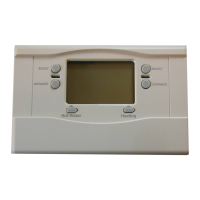
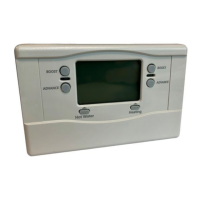
The programmer controls your central heating system.
It will enable you to select the times when heating and
hot water are switched ON and OFF.
Features
Weekday/weekend heating programme.
Weekday/weekend hot water programme.
Three ON/OFF switching times per day.
Built-in programme with typical ON/OFF times.
ADVANCE buttons for heating and hot water.
BOOST buttons for heating and hot water, giving
up to 3 hours of boost.
Settings stored in non-volatile memory to prevent
loss of programme during power cuts.
12 hour am/pm or 24 hour clock format.
The programmer and other controls in your
central heating system will provide comfortable
temperatures in your home when you want them.
12 hour am/pm or 24 hour clock display
Your programmer can operate on 12 hour am/pm or
24 hour clock formats. To change the format, ensure
the slider is in the Run Programme position then press
the + and
-
buttons together for about 3 seconds. All
the displayed times will be automatically changed to
the new format.
Repeating this procedure will change the clock display
back to the original format.
Weekday/Weekend Programming
When setting the programme times (slider is in Set
Heating or Set Hot Water positions) the applicable
days will be displayed as a block of days (Mon...Fri or
Sat...Sun). The Day button will switch between the
Weekday and Weekend programmes when pressed.
Operating Your Controller
Normal Operation
For normal operation the slider must be in the Run
Programme position.
A red indicator lamp shows when the heating or hot
water is switched ON.
Two Mode buttons are provided to select how the
heating and hot water are controlled.
Keep pressing the
Heating
Mode button to scroll
through the 4 possible modes:
Off - The heating will remain OFF.
Auto - The heating will be switched ON and OFF
automatically according to the heating programme.
Once - The heating will come ON at the first
programmed ON time and go OFF at the last
programmed OFF time.
Cont. - The heating will remain ON continuously.
The Hot Water
Mode
button operates in the same
manner as described above for the Heating Mode
button.
Boost
The BOOST buttons switch the heating or hot water
ON for up to 3 hours without altering the programme.
Pressing either button once will give one hour boost,
and the words HEATING +1 HR or HOT WATER +1 HR
show on the display to confirm the button has been
pressed.
When the red indicator lamp is OFF, pressing the
BOOST button switches the heating or hot water ON
for just one hour.
When the red indicator lamp is ON, pressing the
BOOST button extends the programmed ON period
by one hour.
Further presses of the BOOST buttons will increase
the boost period by one hour for each button press,
up to a maximum of 3 hours. The display will change
to show the number of hours of boost, for example
HEATING +3 HR or HOT WATER +2 HR.
To cancel the boost hours, keep pressing the BOOST
button until the HEATING + (1, 2 or 3) HR or HOT
WATER + (1,2 or 3) HR disappears from the display.
Advance
The ADVANCE buttons switch the heating or hot
water ON or OFF without altering the programme.
When the indicator lamp is ON, pressing the ADVANCE
button switches the heating or hot water OFF until the
next programmed ON time.
When the indicator lamp is OFF, pressing the
ADVANCE button switches the heating or hot water
ON until the next programmed OFF time.
Power Failure
Your programmer stores the programme in non-volatile
memory to ensure correct operation after a mains
supply power cut. Date/time/mode are saved regularly
so you may only need to correct the time after a power
cut of more than a few minutes. Follow the instructions
for “Setting the Correct Date/Time” overpage.
User Guide
for 340006 (EHE0200363) Programmer
Ref: 4277
Whilst every care has been taken to ensure that the information included in
this document was accurate at the time of printing, we reserve the right to
change specifications at any time.
The photographs reproduced in this publication are within the constraints of
the printing process and are NOT to be used for matching purposes. E&OE.
Wolseley UK, The Wolseley Center, Harrison Way, Spa Park,
Royal Leamington Spa, CV31 3HH
For further information telephone 0344 292 7062
WEEE Directive 2012/19/EU
At the end of the product life dispose
of the packaging and product in a
corresponding recycling centre. Do
not dispose of the unit with the usual
domestic refuse. Do not burn the product.

Question and Answer IconNeed help?

Do you have a question about the Center EHE0200363 and is the answer not in the manual?

Summary

Introduction to the Programmer

Setting Your Programmer

Setting the Correct Date;Time

Instructions for setting the correct date and time by navigating through the programmer's interface.

Setting the Hot Water Programme

Guide to setting three daily ON/OFF times for the hot water system, including weekday and weekend options.

Setting the Heating Programme

Instructions for setting three daily ON/OFF times for the heating system, covering weekdays and weekends.

Reviewing Programme Times

How to review and adjust programmed times for hot water and heating using the programmer's buttons.

Operating Your Controller

Normal Operation

Details on setting the slider to Run Programme and understanding the mode buttons for heating and hot water.

Advance Functionality

Explanation of how the ADVANCE buttons temporarily switch heating or hot water ON or OFF.

Boost Functionality

How to use the BOOST buttons to extend heating or hot water ON times by up to 3 hours.

Power Failure Recovery

Information on how the programmer retains settings during power cuts and how to reset the time if needed.

Overview

This document describes the 340006 (EHE0200363) Programmer, a device designed to control a central heating system.

Function Description

The programmer's primary function is to manage the ON/OFF switching times for both heating and hot water in a central heating system. It allows users to define specific schedules for these functions, ensuring comfortable temperatures when desired. The device stores settings in non-volatile memory, preventing loss of programming during power cuts.

Technical Specifications

  • Model: 340006 (EHE0200363)
  • Display: Digital display showing date, time, and programme markers. Can operate in either 12-hour AM/PM or 24-hour clock format.
  • Programming:
    • Three ON/OFF switching times per day for both heating and hot water.
    • Hot water programme times can be set between 3:00 AM and 2:50 AM (on the next day).
    • Heating programme times can be set between 3:00 AM and 2:50 AM (on the next day).
  • Memory: Non-volatile memory for storing settings, ensuring data retention during power outages. Date, time, and mode are saved regularly.
  • Power: Designed to operate after mains supply power cuts, with minimal need for time correction.
  • Compliance: WEEE Directive 2012/19/EU compliant for end-of-life disposal.

Usage Features

General Operation:

  • The device features a slider with positions for "Set Date/Time," "Set Hot Water," "Set Heating," and "Run Programme."
  • A red indicator lamp illuminates when heating or hot water is switched ON.
  • "Mode" buttons are provided for both heating and hot water to select control modes.
  • The display includes dedicated indicators for hot water mode, heating mode, time, date, and programme markers.
  • "+" and "-" buttons are used for adjusting times and values.
  • A "Confirm/Next" button is used to confirm settings and navigate through programming steps.
  • A "Day Select" button allows switching between weekday and weekend programmes.
  • A "Copy Programme" button enables copying programmes from one set of days to another.

Setting Date and Time:

  1. Unclip the fascia.
  2. Move the slider to "Set Date/Time." The day of the month will flash.
  3. Use "+" or "-" buttons to adjust the day, then "Confirm/Next."
  4. Repeat for month, year, and time, using "Confirm/Next" to advance.
  5. Move the slider to "Run Programme" to complete.

12-hour AM/PM or 24-hour Clock Display:

  • With the slider in "Run Programme," press "+" and "-" buttons together for ~3 seconds to toggle between 12-hour AM/PM and 24-hour formats.

Weekday/Weekend Programming:

  • When setting programmes (slider in "Set Heating" or "Set Hot Water"), applicable days are displayed as a block (Mon-Fri or Sat-Sun).
  • The "Day" button switches between weekday and weekend programmes.

Setting Hot Water Programme:

  1. Move the slider to "Set Hot Water." "HOT WATER" will appear, and Mon-Fri and the first ON time will flash.
  2. Use "+" or "-" buttons to set the first ON time (10-minute increments).
  3. Press "Confirm/Next" to confirm and display the first OFF time. Set this time.
  4. Press "Confirm/Next" and use "+" or "-" to set the remaining ON/OFF times. If only two ON/OFF times are needed, set the second OFF time equal to the second ON time.
  5. Press "Confirm/Next" after all changes.
  6. To set Saturday and Sunday:
    • Choice 1: Press "Day" to switch to Sat-Sun, then set ON/OFF times (steps 6-8).
    • Choice 2: Press "Copy" to copy Mon-Fri programme to Sat-Sun.
  7. Moving the slider to the next position completes hot water programming.

Setting Heating Programme:

  1. Move the slider to "Set Heating." "HEATING" will appear, and Mon-Fri and the first ON time will flash.
  2. Follow the same procedure as "Setting the Hot Water Programme" (steps 6-9) for Mon-Fri and Sat-Sun.
  3. Moving the slider to the next position completes heating programming.

Reviewing Programme Times:

  • Move the slider to "Set Hot Water" or "Set Heating."
  • Press "Confirm/Next" repeatedly to review times for a day. Adjust with "+" or "-."
  • Press "Day" to review weekday or weekend programmes.

Normal Operation (Slider in "Run Programme"):

  • Mode Buttons (Heating and Hot Water): Press to scroll through 4 modes:
    • Off: Heating/hot water remains OFF.
    • Auto: Heating/hot water switches ON/OFF automatically per programme.
    • Once: Heating/hot water comes ON at the first programmed ON time and goes OFF at the last programmed OFF time.
    • Cont.: Heating/hot water remains ON continuously.
  • ADVANCE Buttons (Heating and Hot Water): Switches heating/hot water ON or OFF without altering the programme.
    • If indicator lamp is ON, pressing ADVANCE switches it OFF until the next programmed ON time.
    • If indicator lamp is OFF, pressing ADVANCE switches it ON until the next programmed OFF time.
  • BOOST Buttons (Heating and Hot Water): Switches heating/hot water ON for up to 3 hours without altering the programme.
    • Press once for 1 hour boost (e.g., "HEATING +1 HR" displayed).
    • Further presses increase boost by 1 hour, up to a maximum of 3 hours (e.g., "HEATING +3 HR").
    • If the indicator lamp is OFF, BOOST switches it ON for 1 hour.
    • If the indicator lamp is ON, BOOST extends the programmed ON period by 1 hour.
    • To cancel boost, keep pressing BOOST until the "HEATING + (1, 2 or 3) HR" or "HOT WATER + (1, 2 or 3) HR" display disappears.

Maintenance Features

  • The device is designed for long-term operation with settings stored in non-volatile memory, minimizing the need for re-programming after power interruptions.
  • In case of a power cut, only minor time corrections might be needed if the outage is brief.
  • At the end of its product life, the programmer should be disposed of at a corresponding recycling centre, in accordance with WEEE Directive 2012/19/EU. It should not be disposed of with general domestic refuse or burned.

Center EHE0200363 Specifications

General IconGeneral
BrandCenter
ModelEHE0200363
CategoryMotherboard
LanguageEnglish

Related product manuals