INSTALLATION
TRANSMITTER
1. Insert the antenna wire into the antenna tube.
2. Connect the supplied AC/DC power adaptor into an electrical wall outlet.
3. Plu
g the AC/DC power adaptor into the DC jack located on the rear of the
transmitter.
4. Whe
n the AC adapter is plugged in, the red POWER LED illuminates. If the red
POWER LED does not illuminate, make sure the adapter is plugged in.
5. Th
e rear of the transmitter has one audio cord that can be connected to the
pla
yers or to the headphone or earphone jack with the connector provided.
Whe
n the transmitter receives an audio signal, the blue SIGNAL LED and the red
POWE
R LED will illuminate together. If the blue SIGNAL LED does not illuminate,
ensure that the audio source is turned on.
VOLUME DOWN
VOLUME UP
POWER ON/OFF
AUTO TUNE
AUTO TUNE
VOLUME UP
VOLUME DOWN
POWER ON/OFF
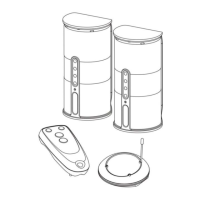
REMOTE CONTROL
SPEAKER RECEIVERS
audio ou
tput jack of the TV, Monitor, VCR, Radio recorder, CD/MP3/VCD/DVD


 To Next Page
