Centroid Acorn Plasma Users Manual Beta CNC12 v4.65 rev6
Plasma Virtual Control Panel
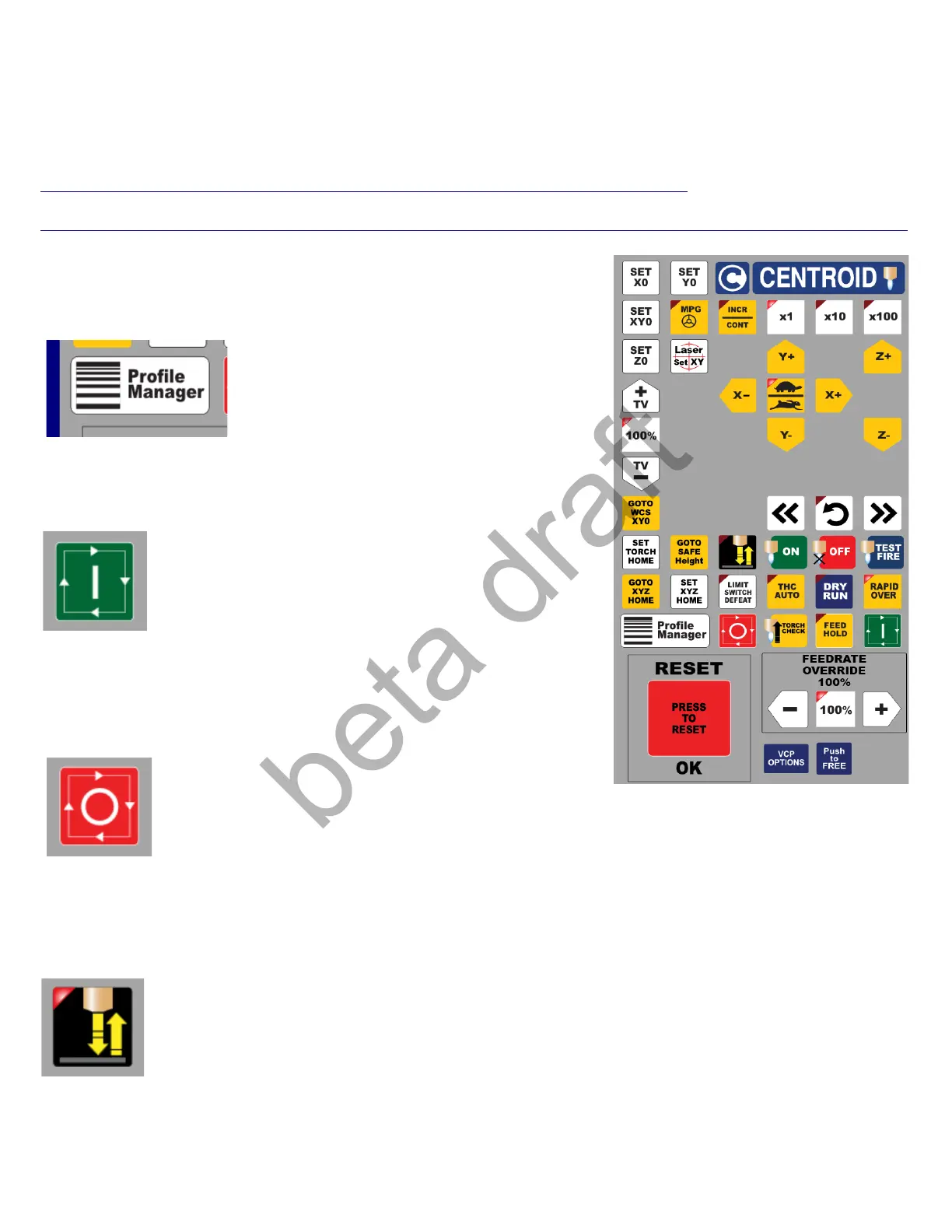
A Plasma VCP is provided with the Centroid Acorn CNC12 installation. This VCP can be used as is or modified by
the user. More information on how to edit the VCP can be found in the VCP manual here.
https://www.centroidcnc.com/centroid_diy/downloads/centroid_vcp_users_manual.pdf
and related macro programming guide.
https://www.centroidcnc.com/centroid_diy/downloads/acorn_documentation/centroid_cnc_macro_programming.pdf
Profile Manager: Starts the Material Profile Manager
Cycle Start: Used to start any automatic motion. Such as running a
Part G code program.
Cycle Cancel: Used to stop any automatic motion or cancel out of
any operation.
Torch Touch Off: A dry run of the Torch Touch Off Cycle. Used to Test the Torch Touch Off to make sure it
is working before running a job. The LED indicates that the Torch is Touching the Metal (lit up when
touching) which is useful for debugging the wiring of the Touch Off.
Page 27 D:\Keith Documents\centroid_acorn_plasma_users_manual_draft27.odt rev27 3-15-22



 To Next Page
 Loading...