Centroid Acorn Plasma Users Manual Beta CNC12 v4.65 rev6
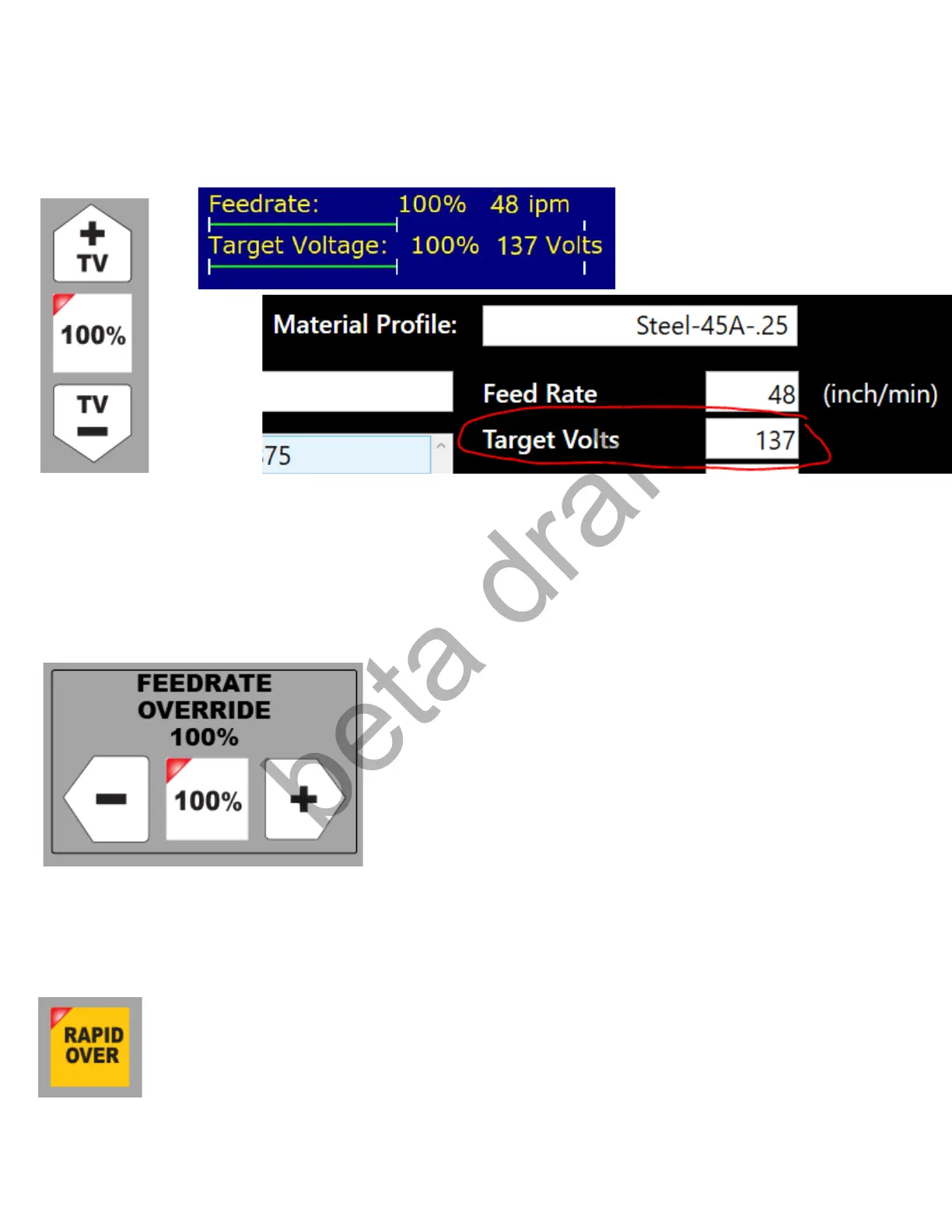
Target Voltage Override: Operator Override controls for adjusting the Target Voltage to be maintained by
the THC. Can be used on the Fly (while a job is running). Overrides the Profile Specified by percentage,
actual Voltage is displayed on the screen. Press 100% to return to the Profile specified voltage. Works in
conjunction with the Wireless MPG wheel.
Feedrate Override: Operator control to override the programmed feedrate of a job. Works in conjunction
with the Wireless MPG wheel which provides a large wheel for easier operator adjustment of the Feedrate.
Is used to override Jogging Speeds as well as cutting Feedrate and Rapid moves (with Rapid Override
active) Press the “100%” button to quickly return to the Programmed Feedrate effectively removing any
override.
Rapid Override: Active when LED is lit. Applies the Feedrate Override to any Rapid move as well.
Effectively allowing the Feedrate Override amount to apply to all motion. Disable (LED OFF) if it is desired
for all Rapid moves to move at the Maximum Rate (Set in the setup Wizard in the Axis Configuration
menu)
Page 30 D:\Keith Documents\centroid_acorn_plasma_users_manual_draft27.odt rev27 3-15-22


 To Next Page
 Loading...