Centroid Acorn Plasma Users Manual Beta CNC12 v4.65 rev6
Centroid Acorn Plasma Setup and Configuration
1.) Acorn Bench Test. Follow the bench test procedure found here.
https://www.centroidcnc.com/centroid_diy/acorn_quick_start_guide.html
CNC12 Plasma Beta Software Download is here.
https://centroidcncforum.com/viewtopic.php?f=65&t=6950
Please review the requirements follow the bench test procedure to the letter.
Highlights not to be overlooked.
- CNC PC requirements especially the SINGLE CORE benchmark requirements. (this does not mean you
have to use a single core CPU (which is impossible to find these days anyways) The single core bench mark of 1500
is the performance rating of ONE of the cores of the CPU, NOT the overall score (combined core performance).
- use a 1920x1080 display resolution
- properly preparing Windows 10/11 for CNC PC use. Imperative that these guidelines are followed.
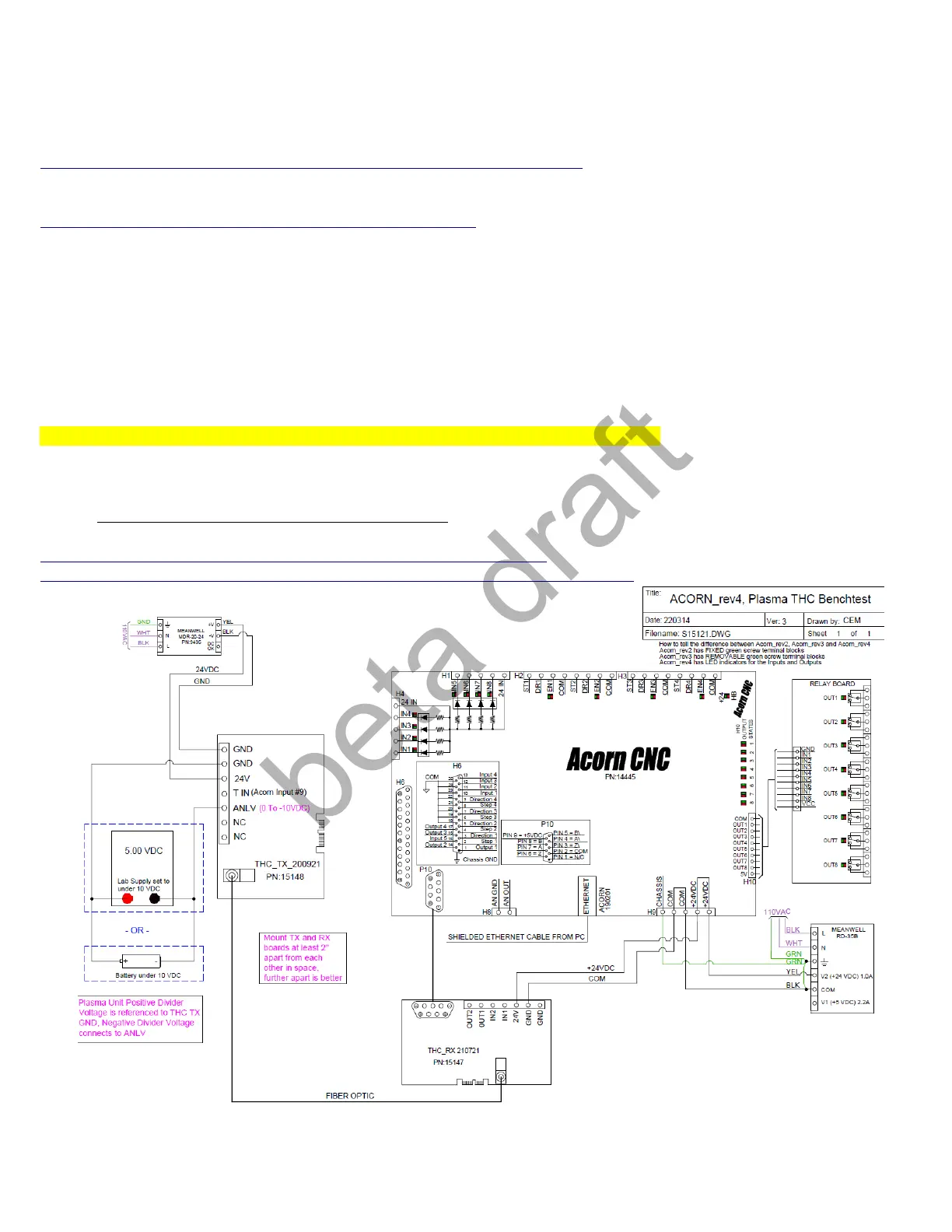
Perform the RX an TX Bench Test after following the Acorn Bench Test procedure.
Bench Test the Centroid THC kit with the Acorn, follow schematic #S15121 and hook up the TX and RX
board. Do not connect to Plasma unit at this time.
https://www.centroidcnc.com/centroid_diy/schematics/pbrowse.php#
https://www.centroidcnc.com/dealersupport/schematics/uploads/S15121.r2.pdf
Page 3 D:\Keith Documents\centroid_acorn_plasma_users_manual_draft27.odt rev27 3-15-22



 To Next Page
 Loading...