Centroid Acorn Plasma Users Manual Beta CNC12 v4.65 rev6
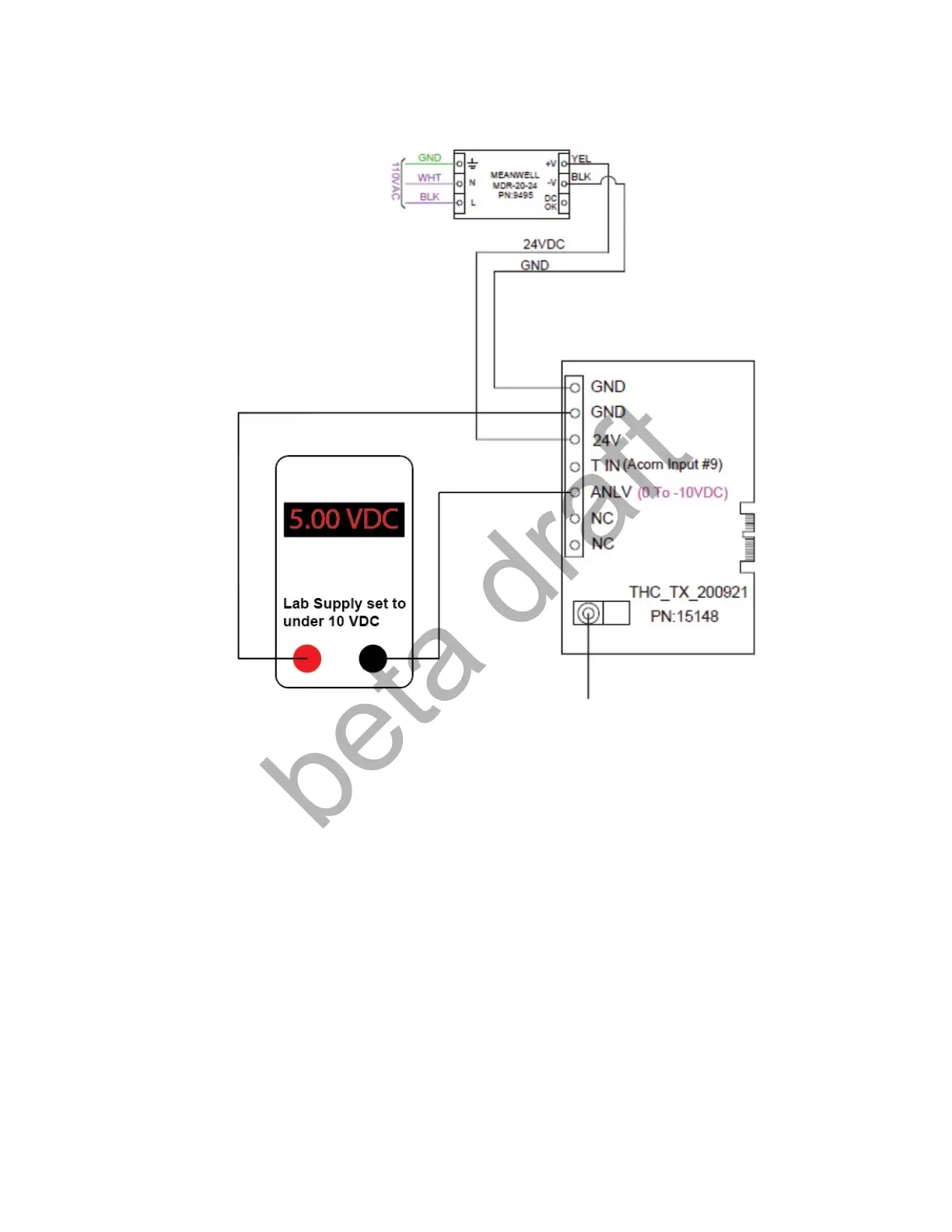
Or use a Lab Power supply.
Verify with a Volt meter that the supplied voltage is actually at the TX board terminals.
Then run the “THC_Benchtest.cnc” TX to CNC12 Voltage signal communication Test Macro.
1.) Home CNC12 by pressing cycle start button.
2.) Press F2 Load and navigate to “THC_Benchtest.cnc”
3.) Press Cycle Start to run the “THC_Benchtest.cnc” macro
4.) The test macro will report the Voltage that CNC12 is measuring with a message on the screen.
Once the test voltage signal has been verified by the macro, power down and continue with the installation.
Page 5 D:\Keith Documents\centroid_acorn_plasma_users_manual_draft27.odt rev27 3-15-22


 To Next Page
 Loading...