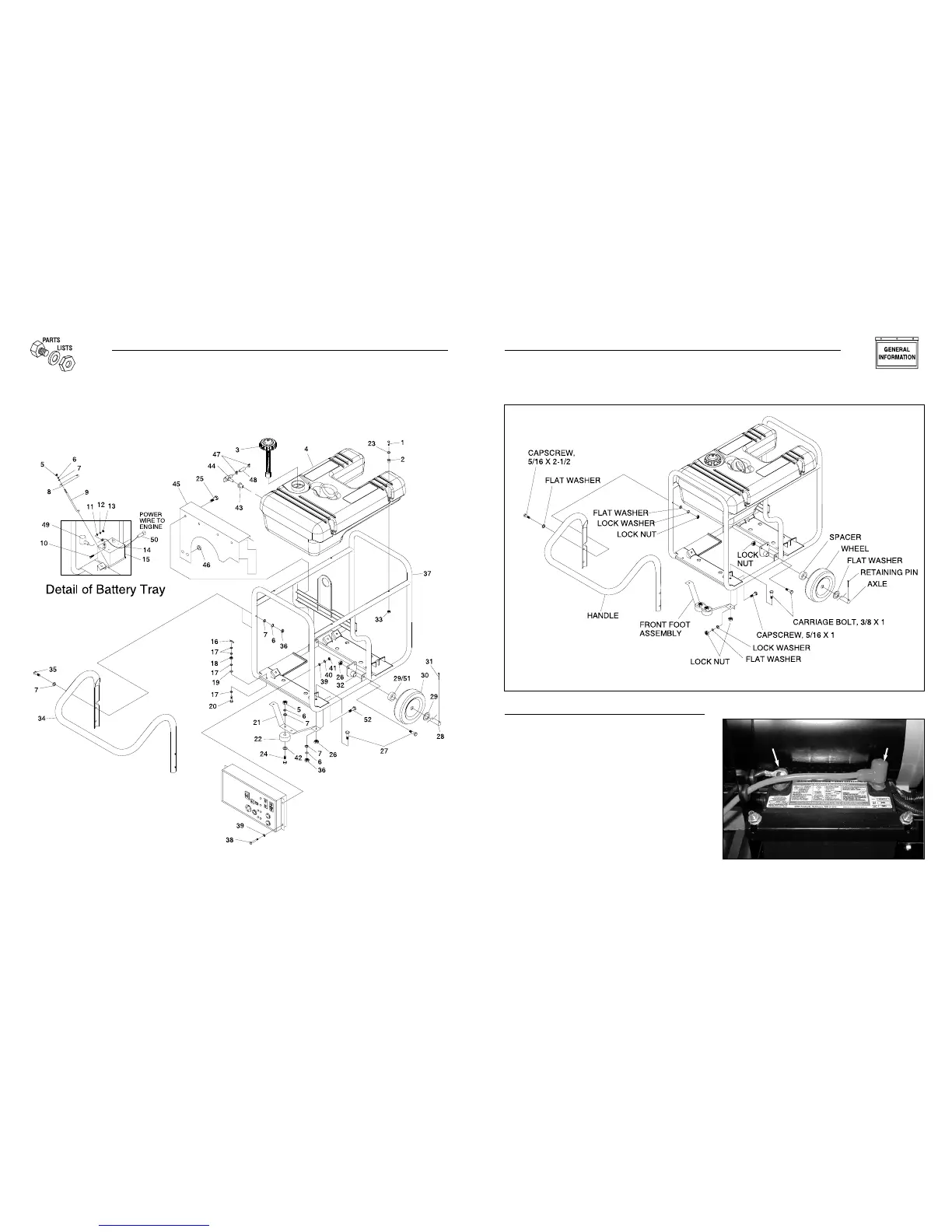
1.2.3 BATTERY CONNECTION
• The battery shipped with the generator has been provided fully
charged. Caution must be taken when connecting the battery.
• Cut the tie wrap cable holding the RED and BLACK battery
cables to the stator.
• Connect the RED battery cable to the battery Positive terminal
(+). After making sure that the connection is tight, slip the
rubber boot over the terminal connection.
• Connect the BLACK battery cable to the battery Negative
terminal (–). Make sure the connection is tight.
• Double check all connections to ensure they are in the correct
location and secure. See Figure 3 at right.
Figure 3 - Battery Connections
5
Section 1 - General Information
Commercial-Industrial-Residential Portable Generator System
Negative
Cable
Positive
Cable
Figure 2 - Handle Assembly
32
Section 7 — Exploded Views and Parts Lists
Commercial-Industrial-Residential Portable Generator System
Frame, Handle & Wheel Kit – Drawing No. 0E0695A



 To Next Page