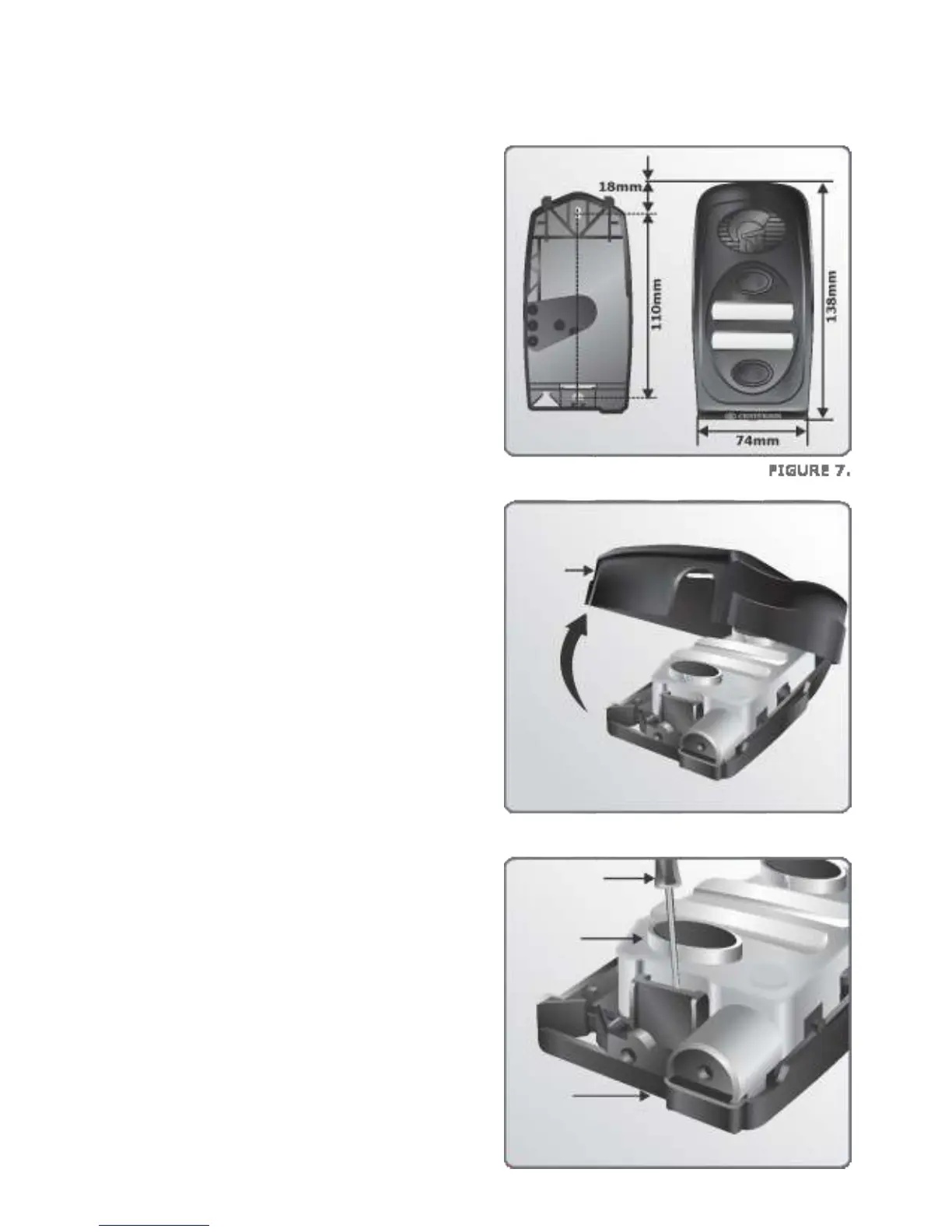
Dimensions of the Calling Module base
and mounting holes relative to the
Calling Module cover
2. Insert screwdriver as shown and unclip
the Calling Module from base.
1. Lift off the outer cover of the Calling
Module as shown in Figure 8.
page 11
Dimensions
Mounting Instructions
FIGURE 8.
Lift
Calling
Module
cover
FIGURE 9.
Screwdriver
Calling
Module
Calling
Module
base



 To Next Page