Need help?
Do you have a question about the Centurion POLOphone and is the answer not in the manual?
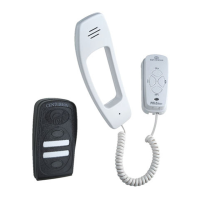
Details on how the Polophone system can be configured with up to 5 components.
Explanation of the two-wire bus system used to connect all components easily.
Information on powering the Polophone system using a 14V DC mains adaptor or gate motor supply.
Highlights additional functionalities like door lock operation and auxiliary pushbuttons.
Describes how entry panel calls are linked to handset groups and intercommunication works.
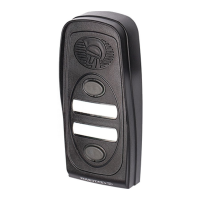
Lists the items included with the entry panel, such as mounting screws and call button labels.
Details the items included with the handset, including screws, cord, and cable ties.
Describes the optional 14V DC power supply/mains adapter for the system.
Explains powering the system via gate motor supply or a 14V DC mains adapter.
Details the polarized two-wire bus and its 150m length limit.
Illustrates the wiring connection for operating a door lock via the entry panel.
Instructions for positioning and mounting the entry panel on a wall.
Guidance for mounting the entry panel onto a gooseneck fitting.
Step-by-step guide for mounting the entry panel base to the wall.
Instructions on screwing the entry panel base securely and ensuring vertical alignment.
Steps for hooking the electronics module into the base and terminating cables.
Guidance on writing and inserting call button labels into the panel.
Instructions for clipping and securing the outer cover of the entry panel.
Recommendations for positioning the handset on the wall for comfortable use.
Instructions on how to remove the cradle base from the handset unit.
Steps for marking, drilling, and securing the cradle base to the wall.
Guidance on routing and terminating cables for concealed or surface mount installations.
Steps for clipping the cradle back onto the base and connecting the telephone cord.
Instructions for wiring the status LED on the gate motor to the handset.
How to set the entry panel selector switch and adjust speech volume.
Instructions for setting the handset group selector and adjusting speech volume.
Steps to check gate release, inter-group calls, auxiliary pushbuttons, and status LEDs.
 General
| Model | POLOphone |
|---|---|
| Brand | Centurion |
| Operating Temperature | -20°C to +55°C |
| Type | Intercom System |
| Power Supply | 12V DC |
| Housing Protection | IP |

 To Next Page