page 17
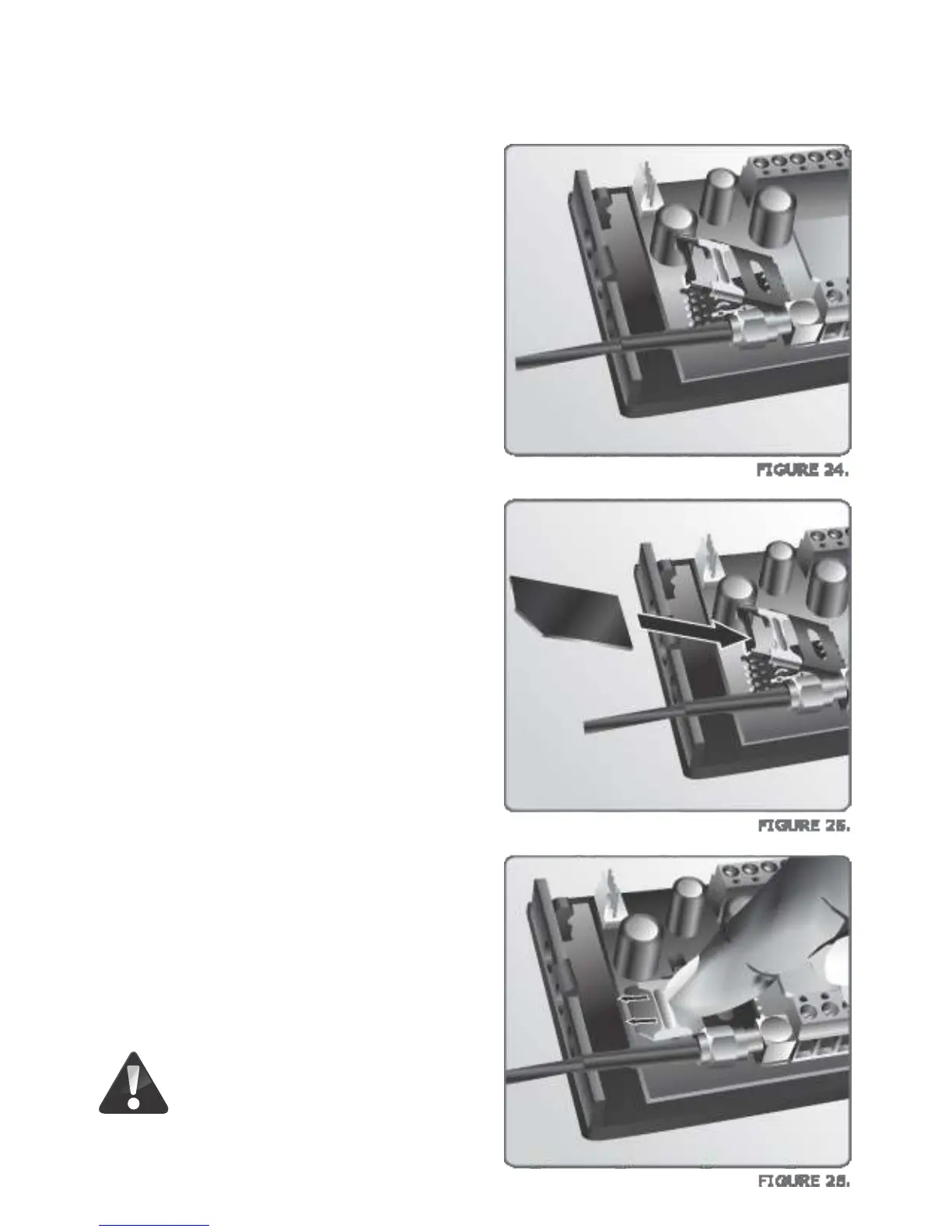
3. Insert the activated SIM card and ensure
that the SIM card is correctly oriented.
Align the cropped corner to be in the
correct position on the circuit board as
per the diagram.
2. Raise the SIM card housing as shown in
Figure 24.
4. Once the SIM card is inserted correctly in
the SIM card housing, lower the housing
onto the circuit board. Then slide the SIM
card housing’s locking mechanism down
to ensure that the SIM card housing is
securely locked in place.
Do not use a screwdriver to
close the SIM Card locking
mechanism.


 To Next Page