
 Need help?
Do you have a question about the Centurion SECTOR Series and is the answer not in the manual?
Essential safety guidelines and warnings for installers to ensure safe operation and prevent injury.
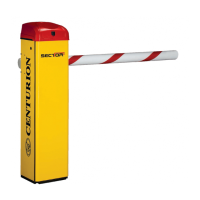
Provides a general overview of the SECTOR barrier's design, capabilities, and operational benefits.
Highlights key advanced features of the SECTOR controller, such as graphical interface and automated setup.
Explains the surge protection philosophy and the importance of proper earthing for the SECTOR controller.
Presents the physical measurements and overall dimensions of the SECTOR barrier unit.
Details electrical, operational, and performance parameters for various SECTOR models.
Outlines specifications for the barrier's main housing, including surface protection and construction.
Details the specifications of the barrier pole, including material, dimensions, and surface treatment.
Lists the fuses provided within the SECTOR system, including their type and rating.
Provides a checklist of general considerations for ensuring the safety and suitability of the installation site.
Describes the FLUX OB onboard vehicle loop detector, its features, and benefits for access control.
Guides on troubleshooting common issues with the FLUX OB loop detector using symptoms and solutions.
Offers practical advice and best practices for successful installation of inductive loops.
Explains the Simplex Mode, its features, and how it functions for barrier control.
Details the Complex Mode, its functionalities, and application in various access control scenarios.
Describes the free-exit functionality within Complex Mode for vehicle exiting.
Explains the PLC and Spike modes of operation for advanced control and specific applications.
Illustrates and explains the cabling requirements for the Simplex Mode of operation.
Shows the cabling connections for the basic Complex Mode of the SECTOR barrier.
Details the cabling configurations for free-exit scenarios in uni-directional and bi-directional traffic.
Guides on installing the SECTOR barrier in a left-hand configuration relative to traffic approach.
Provides instructions for installing the SECTOR barrier in a right-hand configuration relative to traffic approach.
Covers the steps for removing and fitting the boom pole and coupler during conversion.
Details the process for positioning the barrier enclosure and preparing the concrete foundation.
Instructions on how to mark, drill, and fit the boom pole to the SECTOR barrier.
Guides on how to level the boom pole and balance the spring mechanism for correct operation.
Explains the failsafe/lock modes and the procedure for manually releasing the barrier.
Provides essential guidelines and a diagram for connecting all electrical wiring for the SECTOR barrier.
Details the recommended electrical connections for Option 1 in Simplex Mode.
Shows the electrical wiring diagram for Option 2 of the Simplex Mode.
Illustrates the electrical connections for the basic Option 1 of Complex Mode.
Presents the electrical wiring for Option 2 (Ticket Vend) of Complex Mode.
Details the electrical connections for a single lane, uni-directional free-exit loop setup.
Guides on setting up the travel limits for the SECTOR barrier using the LCD display.
Explains how to set up additional features and functions via the SECTOR controller's menu.
Covers menu sections for settings, safety parameters, and autolower configurations.
Details menu options for operating modes, run profiles, and loop detector settings.
Explains TVI output, ChronoGuard time-barring, and general controller settings.
Provides instructions for managing remote controls, including adding and deleting remotes.
Details controller features related to safety, collision detection, and alarm outputs.
Explains the Autolower function, its time settings, and advanced options.
Describes different operating modes and how to configure run profiles for the barrier.
Covers menu options for loop detector functions and TVI (Ticket Vend Interlock) output configuration.
Details the ChronoGuard menu for managing time-barring and auto-functions.
Covers general settings, factory defaults, and remote control management within the controller menu.
Explains the status indications provided by the SECTOR barrier's LEDs.
Details the diagnostic LEDs for the FLUX OB termination board and their meanings.
Describes the information displayed on the SECTOR controller's LCD, including icons and status.
Lists the different buzzer feedback codes and their corresponding inhibitor names and priorities.
Presents the default parameter settings for the South African standard profile (ZA).
Troubleshooting steps for when the barrier experiences low battery voltage conditions.
Guides on diagnosing and resolving issues related to false collision detection.
Describes optional accessories like the breakaway coupling and jack-knife assembly.
Details the TRAPEX fence accessory for pedestrian access control with the SECTOR barrier.
Explains additional interfaced equipment such as CLAWS, FLUX 11, and Midi Traffic Light.
 General
| Brand | Centurion |
|---|---|
| Model | SECTOR Series |
| Category | Automatic Barriers |
| Language | English |

 To Next Page