32
PROGRAMING
4.3.3
Computerised Manual Operation
The valves can be operated manually in three differing ways.
1. All the valves allocated to one of the programs A, B, or C can be activated manually.
2. A single valve from one of the programs can be activated manually.
3. All of the valves allocated to all of the programs, A, B and C, can be activated
manually.
PLEASE NOTE
Any manual operation will terminate the operation of any active irrigation program.
All programs will return once the manual irrigation is complete.
Manually-operated computer activation of all the valves allocated to one of the
programs :
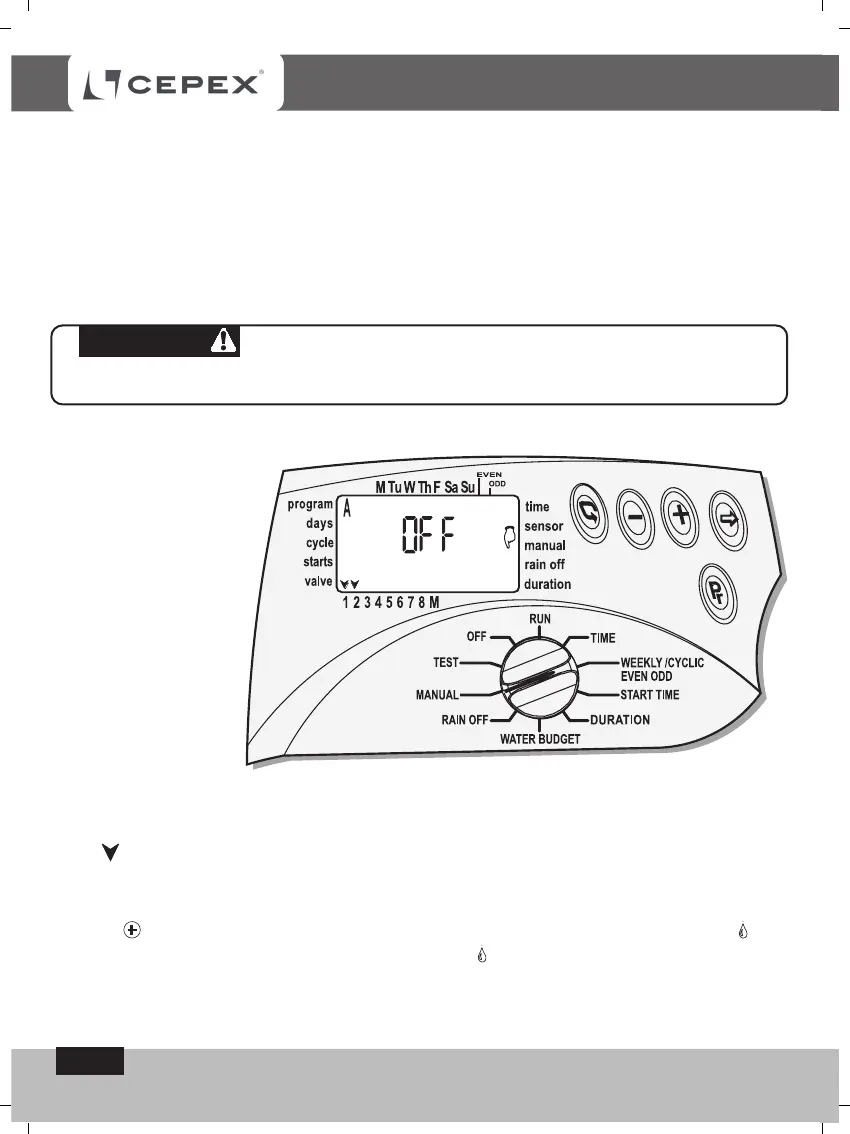
Switch the selector to Manual mode.
Press the button
Pr
. The symbol of program A and all the valves attached to program
A - will appear on the display.
Press button
Pr
. and select the required program, A, B. or C. All the valves allocated
to the program will appear on the display together with MANUAL and OFF.
Press . The word ON will appear and the first valves symbol will light-up .
A few seconds later, the master-valve symbol - will light-up. The valves allocated
to the program will open one after the other.



 To Next Page