42
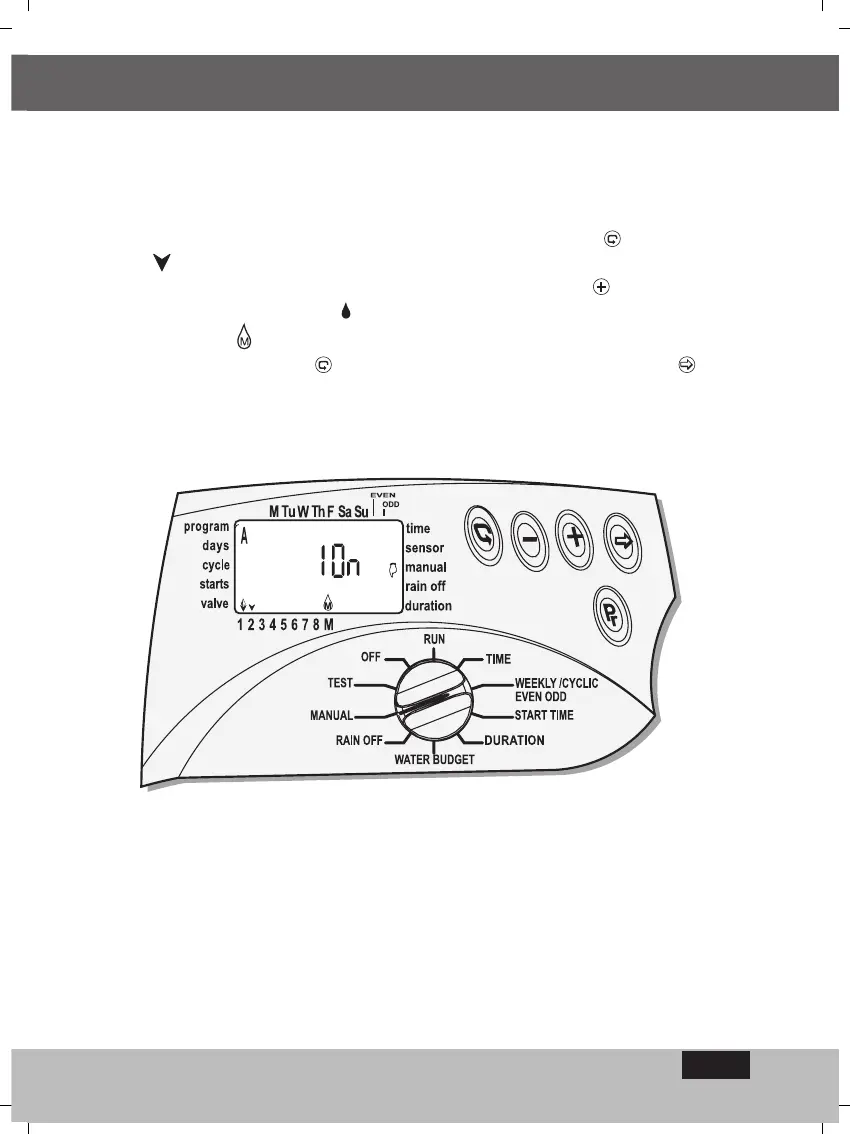
Computerised manual operation of one of the valves allocated to one of the
programs
Switch the selector to Manual mode.
To open one of the valves allocated to the program press . The first-valves
symbol will immediately begin to flash and the programed duration of irrigation
for that valve will appear. To open the valve press button . When the valve
opens its symbol will light-up , the word ON will appear and a few seconds later
the Master-valve - will also open. In order to open another valve, reinstate the
flashing stage by pressing - - and select the valve with the aid of - .
PROGRAMING
EN



 To Next Page