52
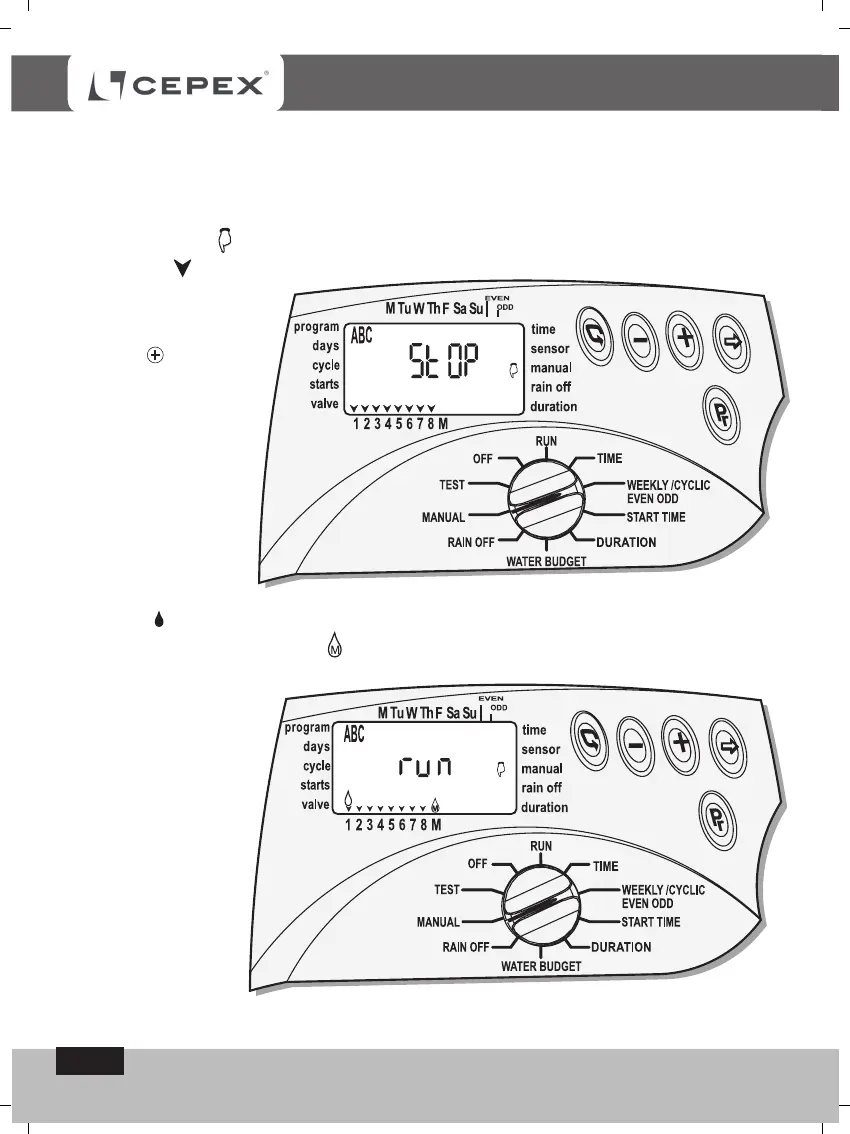
To open the valves in
sequence, press the
button . All the
valves which have
been given an
irrigation-duration will
start to open one
after the other and
for the duration
programed for the
first program. When
the first valve opens,
the Open Valve
symbol - will appear together with the word RUN and a few seconds later the
Master-valve will also open .
Computerised Manual Operation of all the valves allocated to all the programs
Switch the selector to Manual mode.
Press the button
Pr
until Programs A B C appear on the display, together with the
Manual symbol - - the word STOP and all the valves allocated to the
programs .
PROGRAMING
All the valves which have been programed will open in the order of the programs, -
program A, program B and thereafter, program C.



 To Next Page