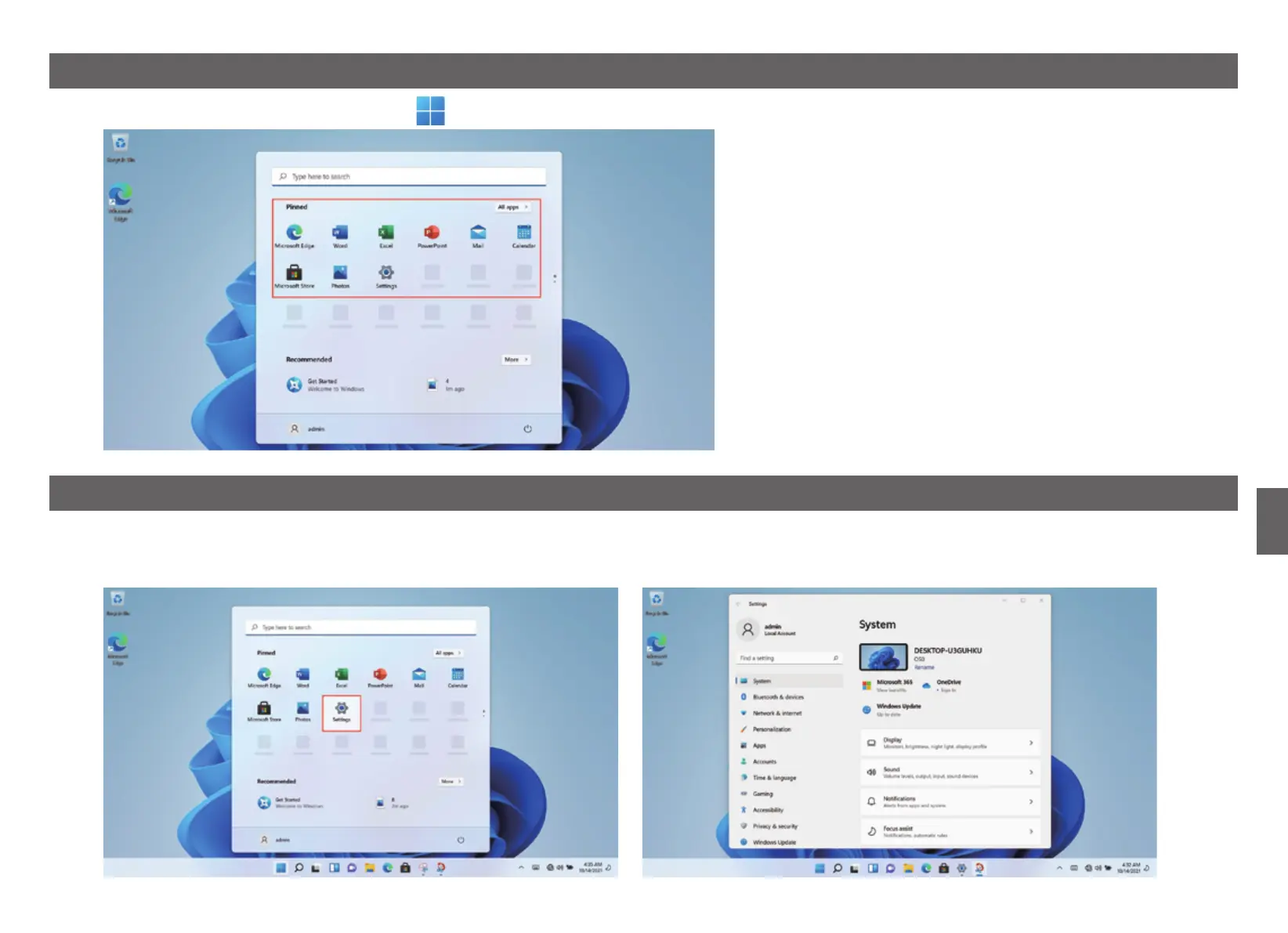
5. Application Selection Interface
Start up and enter the WIN11 main interface, click graphic,open the corresponding application.
6. Set Up
Click the desktop settings icon to enter settings options.
You can change the setting, such as WIFI, Bluetooth, Personalization, Apps, Accounts, Time & language, Gaming, Accessibility, Privacy & security applications etc.
9
GB


 To Next Page