FREN
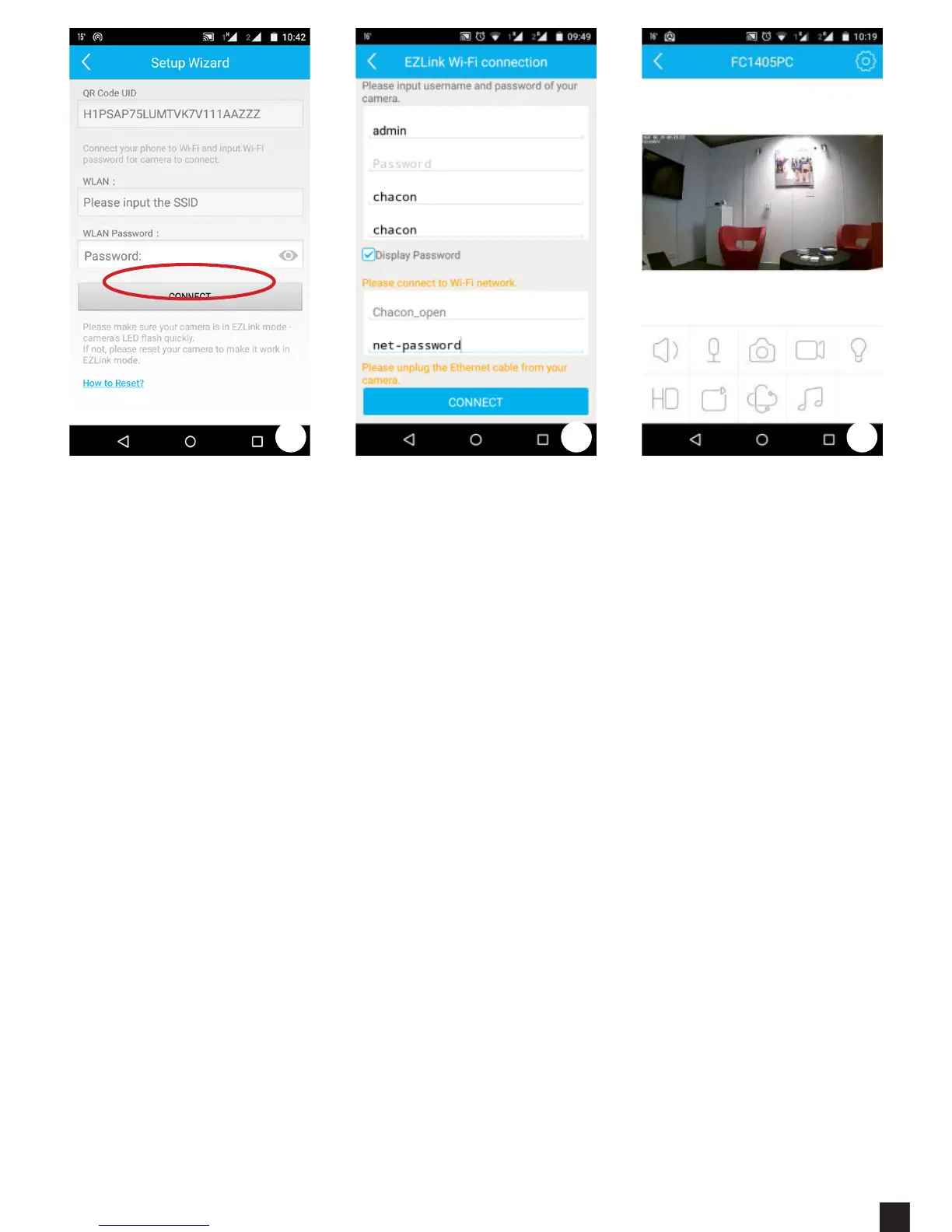
4. During the rst conguration select the option “NO WIFI CONNECTION”.
This will allow you to select your Wi-Fi Network and set your access password
5. Insert your Camera data written at the back of the camera and your Wi-Fi
password.
a. USER: admin
b. Password: 1234
c. New password: “Your desired camera password”
d. Conrm New Password: “Previous password”
e. Network: “Your Wi-Fi connection”
f. Wi-Fi password: “Password of your internet connection”
6 Wait a few seconds and it’s done.
If you take a little bit more time to setup in the previous step, the software
gives you an error. Press check your settings and press “CONNECT” again.
7. I f you wish to add another camera, go back to point 1 and follow the steps.
4 5 6


 To Next Page