FREN
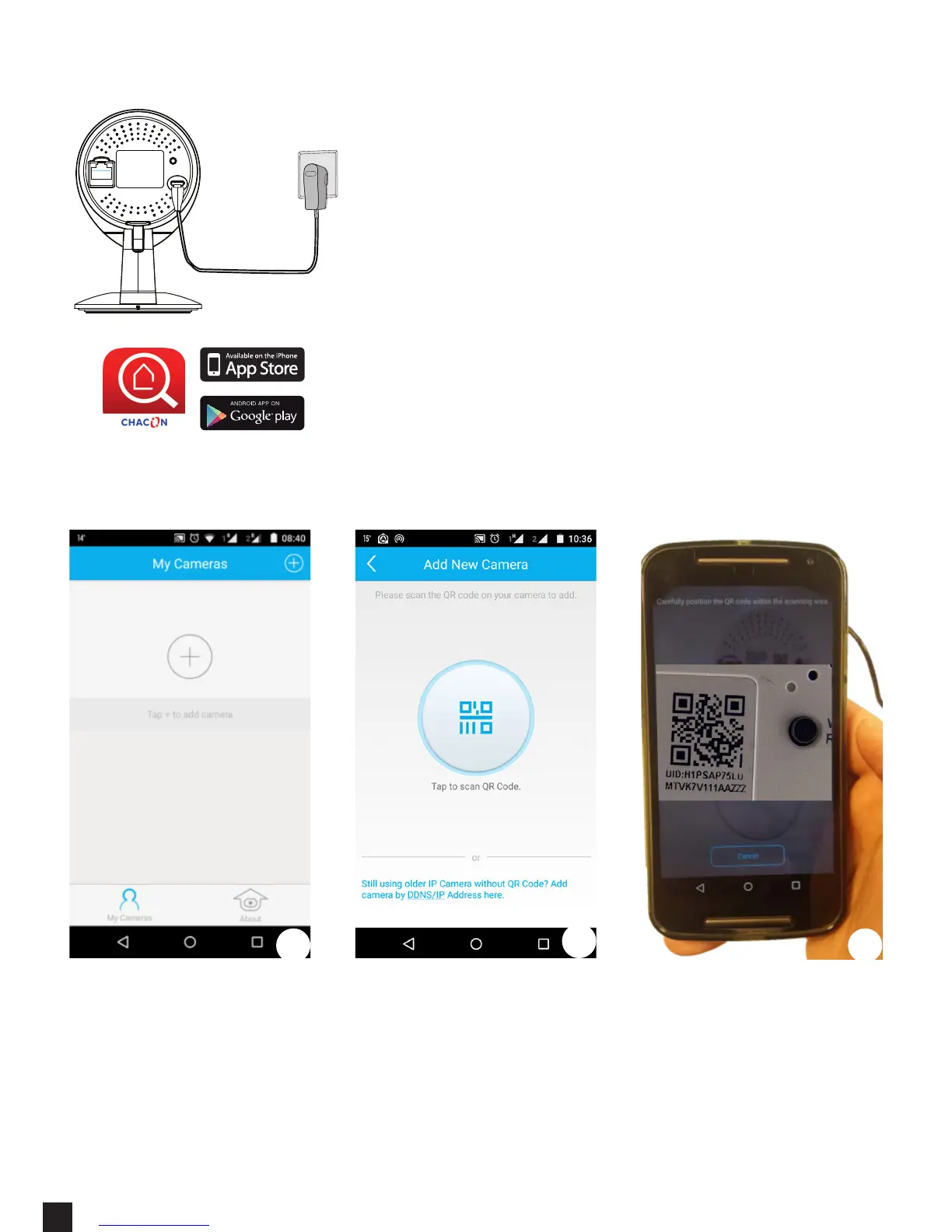
1. Connect only the POWER to your IP Camera. (do
not use the ethernet (RJ45) cable.)
2. Wait until the camera is ready to use : the blue
light will start blinking.
3. Connect your mobile phone on the same Wi-Fi
network that you will use for the Camera
4. Download the «Chacon Cam» app from the
appstore or Google Play.
1. Open the app and press “+” to add a camera
2. Select the option Scan with “QR UID” for P2P option (you can also manually
add the UID code)
3. Scan the QR Code at the back of the IP Camera or on the «easy scan» card.
Hardware connection
Add a camera
1
2
3


 To Next Page