EN
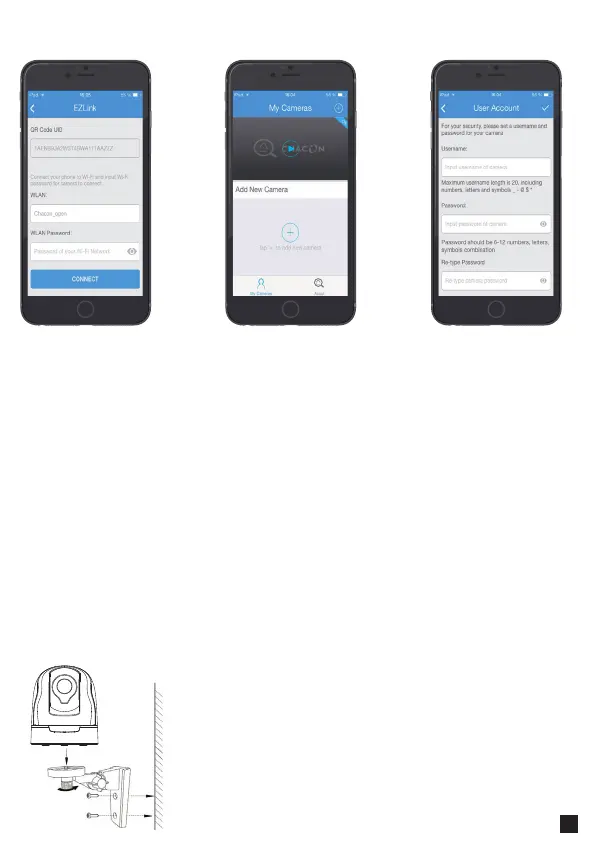
1. Screw the mount on the wall with the two screws
provided.
2. Loosen the thumb screws to adjust the mount to the
desired position. Once the position is set, tighten the screws
securely.
Hardware installation
Wait a few seconds and it’s done.
I f you wish to add another camera, go back to point 1 and follow the steps.
Introduce the
password of your
Wi-Fi network.
Choose your came-
ra.
Introduce your
usernamer and
your password.
Conrm your
password.


 To Next Page