EasyManua.ls Logo

Chai Open qPCR - User Manual

Chai Open qPCR
59 pages
Print Icon
To Next Page IconTo Next Page
Loading...
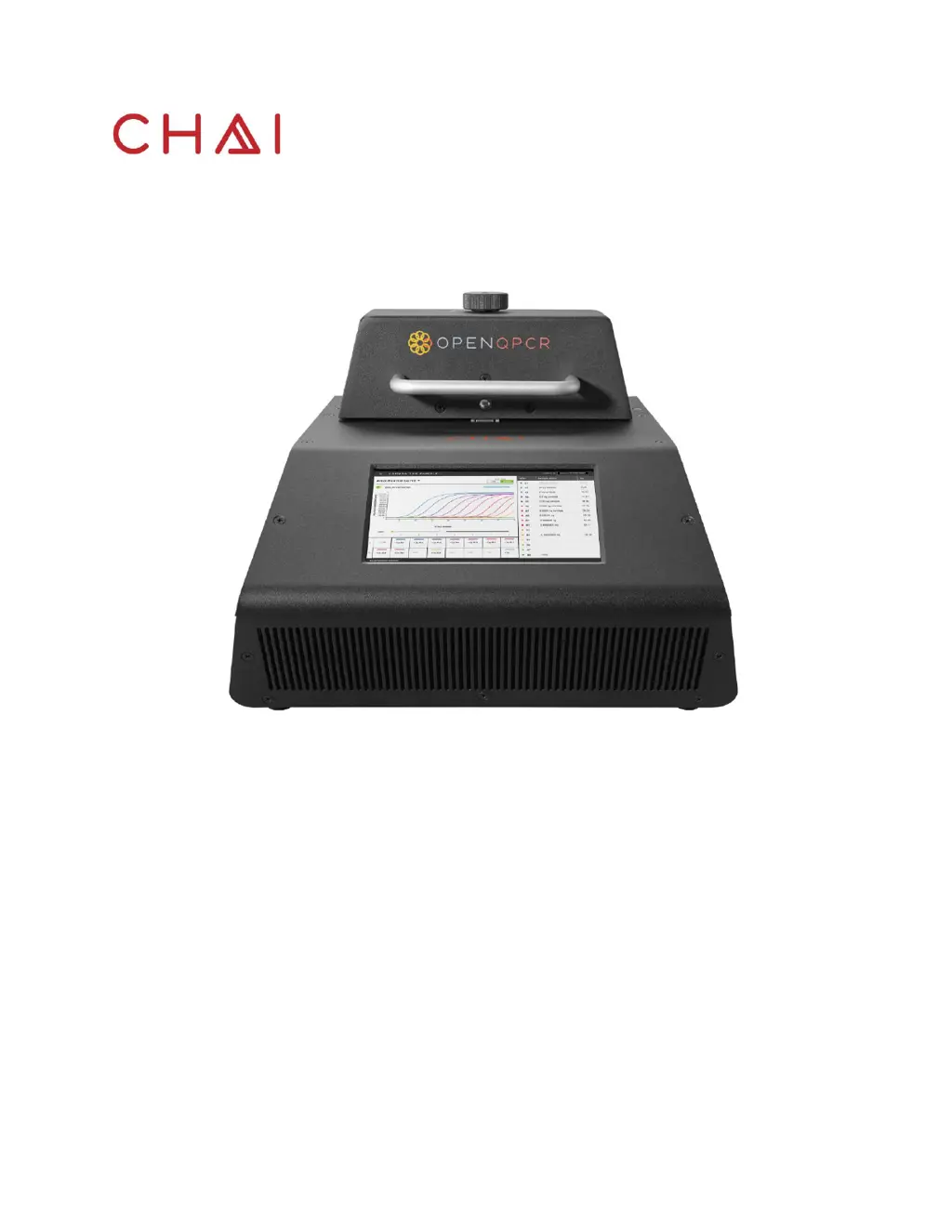
Open qPCR User Manual
Revision A
Open qPCR User Manual
Research use only

Questions and Answers

  • R
    Renee SmithAug 17, 2025
    What to do if there is no amplification with Chai Open qPCR?
    • J
      johnsonanneAug 17, 2025
      If you observe no amplification, several factors could be at play. First, confirm the presence of the target in your sample by testing a positive control. If the sample is degraded, for RNA samples, denature via formamide and then run an agarose gel. For DNA samples, run an agarose gel or use a capillary electrophoresis system. A smeared gel reflects sample degradation, so prepare a fresh sample if degradation is apparent. Also, ensure the instrument is properly calibrated and that the dye detector is assigned to the correct channel to match the fluorophore used.
  • W
    Wesley OliverAug 20, 2025
    What causes inconsistent data with Chai Open qPCR, where replicate samples don't show similar results?
    • J
      Jennifer WilsonAug 20, 2025
      Inconsistent data in replicate samples can arise from several causes. It may be due to low enzyme concentration, so consider increasing the enzyme concentration or using a different enzyme. If the target copy number is below the limit of detection (LOD) for the assay, increase the sample concentration. Pipetting errors can also lead to inconsistencies, in which case you should repeat the assay.
  • D
    dfrazierAug 22, 2025
    What to do if I see amplification in the No Template Control (NTC) with Chai Open qPCR?
    • J
      Jeffrey RuizAug 22, 2025
      Amplification in the No Template Control (NTC) indicates contamination. To resolve this, repeat the protocol using fresh reagents. The issue might also be primer-dimer formation. In this case, use a master mix with good hot start activity.
  • D
    dgreenAug 25, 2025
    What to do if Chai Open qPCR shows no real-time curve and no visible bands on gel?
    • R
      Ruth GloverAug 26, 2025
      If you observe no real-time curve and no visible bands on the gel, first, confirm your master mix calculations to rule out preparation errors. The protocol may also require optimization, so test different annealing temperatures and times. Additionally, a sample component might be inhibiting PCR, so dilute the sample or change the extraction procedure. Excess fluorescent dye can also inhibit PCR, so decrease its concentration. Finally, degraded PCR reagents can cause this issue, so rerun the protocol with fresh reagents.
  • G
    Garrett OliverAug 27, 2025
    Why are Cq values delayed in Chai Open qPCR Industrial Equipment?
    • F
      Frank ThompsonAug 27, 2025
      Delayed Cq values can occur due to decreased PCR efficiency. Confirm there are no mismatches between target and primer/probe sequences by performing a BLAST search to confirm specificity of target and assay sequences. Also confirm that the primer/probe does not span a SNP site. It could also be due to master mix differences, so test different master mixes with the same protocol, assay design, and reaction components to confirm assay reproducibility. Another cause might be a sample component inhibiting PCR, so try diluting the sample or changing the extraction procedure.
  • J
    Jeffrey DavisAug 30, 2025
    What causes jagged curves with Chai Industrial Equipment?
    • J
      Jesus PatelAug 30, 2025
      Jagged curves can be caused by very low fluorescence signal, so optimize fluorescent dye or probe concentrations. Air bubbles or droplets adhered to tube walls can also cause this issue; spin down tubes for 10 seconds using a microcentrifuge. Finally, ensure you are using the correct tube type. Use Chai's validated PCR- strip tubes, as the instrument requires 100 µL optically clear, non-auto fluorescent tubes.
  • A
    Anthony KlineSep 1, 2025
    What to do if Chai Industrial Equipment shows very low fluorescence signal?
    • K
      Kurt TurnerSep 2, 2025
      A very low fluorescence signal can result from a low copy number of template, so increase the concentration or add more volume of sample. High background signal can also cause this, so decrease fluorescent dye or probe concentration and check probe purity. Additionally, a sample component might be inhibiting PCR, so dilute the sample or change the extraction procedure. Finally, degraded PCR reagents can cause this issue, so rerun the protocol with fresh reagents.
  • A
    Andrew ChapmanSep 4, 2025
    What does it mean if Cq values are very early (
    • M
      meganhoffmanSep 4, 2025
      Very early Cq values, specifically less than 15, indicate that the template concentration is too high. Dilute the sample as necessary to obtain Cq values greater than 15.
  • S
    Sharon SanchezSep 6, 2025
    What causes looping data points during early cycles or noisy curve in early cycles with Chai Open qPCR?
    • K
      Kathryn SmithSep 6, 2025
      Looping data points or a noisy curve in early cycles can occur if the baseline adjustment contains too many cycles; reset the baseline to 3 cycles before indication of amplification. Also, too much starting material can cause this, so use less starting material.
  • C
    Courtney TaylorSep 9, 2025
    What to do if the plateau has lower than expected fluorescence units in Chai Open qPCR?
    • A
      Alicia EvansSep 9, 2025
      If the plateau phase exhibits lower than expected fluorescence units, it may be due to limiting reagents. Confirm your master mix calculations. Also, degraded reagents, such as master mix or dNTPs, can cause this issue, so repeat the protocol with fresh reagents.

Summary

Preface

Intended Use

Defines the purpose and scope of the Open qPCR instrument and its user manual.

Safety Conventions

Explains the alert icons used in the manual for hazards and important operational information.

Safety Warnings and Precautions

Details general safety practices and precautions to avoid personal injury and instrument damage.

Marks of Conformity

Lists and explains compliance marks like FCC and CE, indicating adherence to regulatory standards.

Technical Support

Provides contact information and resources for customer support, including website and phone numbers.

The Open qPCR System

Introduction

Introduces the Open qPCR instrument, its applications, and a basic overview of its capabilities.

Instrument Technical Specifications

Lists connectivity, touchscreen, software, device support, integration, and operating environment details.

General Features

Details the physical components and features of the Open qPCR instrument, such as lid knob, touchscreen, and ports.

Heating & Cooling

Explains the dual-Peltier design and fan system used for precise temperature control and rapid thermal cycling.

Optics

Describes the optical system, including LEDs, photodiode detectors, and filters for fluorescence detection.

Supported Consumables

Specifies the types of PCR tubes and caps required for optimal performance with the Open qPCR.

Installation

Getting Started

Outlines the initial steps for setting up the Open qPCR instrument, including unpacking and powering on.

Connectivity Options: USB, Ethernet, Wi-Fi

Explains the different methods to connect the Open qPCR to a computer or tablet.

Setting a Static IP Address

Provides instructions for configuring a static IP address for Ethernet or Wi-Fi connections.

Logging in and Creating an Account

Guides users through creating a new user account to access the Open qPCR software.

Calibration

When to Calibrate the Open qPCR

Specifies the conditions and events that necessitate instrument calibration.

Adjusting the Open qPCR Lid Height

Details the procedure for adjusting the lid height to ensure proper fit with PCR tubes.

Open qPCR Single Channel System Calibration

Describes the calibration process for the single channel model using the Fluorescein Calibrator kit.

Open qPCR Dual Channel System Calibration

Outlines the calibration procedure for the dual channel model using the FAM + HEX Calibrator Set.

Assay Setup

General PCR Considerations

Provides essential precautions for sample preparation to minimize contamination and ensure accurate PCR results.

Create a New Experiment

Guides users on how to set up a new experiment by defining experiment name and protocol parameters.

Starting & Cancelling Runs

Details how to initiate, monitor, and abort an experiment run, including important safety notes.

Result Analysis

Amplification Curve

Explains how to view and interpret amplification curves, Cq values, and adjust assay parameters.

Melt Curve

Describes the purpose and interpretation of melt curve analysis for quality control and specificity.

Thermal Profile

Explains how to access and interpret the thermal profile graph, showing temperature over time.

Navigation Icon on Results Screen

Shows how to navigate away from the results screen to other parts of the software.

Data Export

Details the process for exporting experiment data in CSV format and lists the available data files.

Changing an Experiment Name

Describes how to rename an experiment after it has been run.

Deleting Experiments

Explains how to remove previously saved experiment runs from the system.

System Settings

Manage Users

Allows adding and managing user accounts for accessing the Open qPCR instrument.

Software Update

Recommends keeping software updated and explains the process for Ethernet/Wi-Fi and USB updates.

Network Settings

Covers configuring network connections via Ethernet or Wi-Fi and adjusting relevant settings.

Diagnostics

Explains how to perform thermal and optical diagnostics to check system integrity.

Maintenance

Cleaning and Disinfecting

Provides detailed instructions and safety precautions for cleaning and disinfecting the Open qPCR instrument.

Open qPCR Return and Repair

Outlines the procedure for returning the instrument for service, including disinfection requirements.

Troubleshooting

Amplification Curves

Addresses common problems related to amplification curves, their causes, and solutions.

Melt Curves

Discusses troubleshooting issues related to melt curves, such as non-specific product amplification.

Factory Reset

Explains the process for performing a factory reset, including data backup and consequences.

Appendix A - Glossary

Amplicon

Defines an amplicon as a DNA segment amplified during PCR.

Amplification Plot

Describes an amplification plot as a display of amplification cycles versus fluorescence units.

Assay

Defines an assay in the context of the Open qPCR as a test involving master mix and specific primers/probes.

Background Fluorescence

Explains background fluorescence as the baseline signal from free dye or non-specific factors.

Baseline

Defines baseline as PCR cycles with accumulated signal below the instrument's limit of detection.

Cq

Explains Cq as the quantification cycle used to determine DNA template quantity.

Cycling Stage

Defines a cycling stage as a repeated stage in the thermal profile setup.

FAM

Details the absorption and emission wavelengths for the FAM fluorescent dye.

HEX

Details the absorption and emission wavelengths for the HEX fluorescent dye.

JOE

Details the absorption and emission wavelengths for the JOE fluorescent dye.

Melt Curve

Describes a melt curve plot indicating melting temperature and nonspecific amplification.

Primer;probe mix

Defines primer/probe mix as components for target amplification and detection.

Ramp speed

Explains ramp speed as the rate of temperature change between steps in a PCR run.

Singleplex PCR

Defines Singleplex PCR as amplification of a single target or control.

VIC

Details the absorption and emission wavelengths for the VIC fluorescent dye.

Chai Open qPCR Specifications

General IconGeneral
Detection MethodFluorescence
Temperature Accuracy±0.25 °C
Excitation SourceLED
DetectionPhotodiodes
Optical Detection Channels2
Channels2
Channel 1 Excitation/Emission470 nm / 520 nm
Weight3 kg
TypeReal-Time PCR
Temperature Range4°C to 99°C
Excitation Wavelengths470 nm
Emission Wavelengths520 nm
Channel 2 Excitation/Emission530 nm / 570 nm
ConnectivityUSB
Power Requirements50/60 Hz