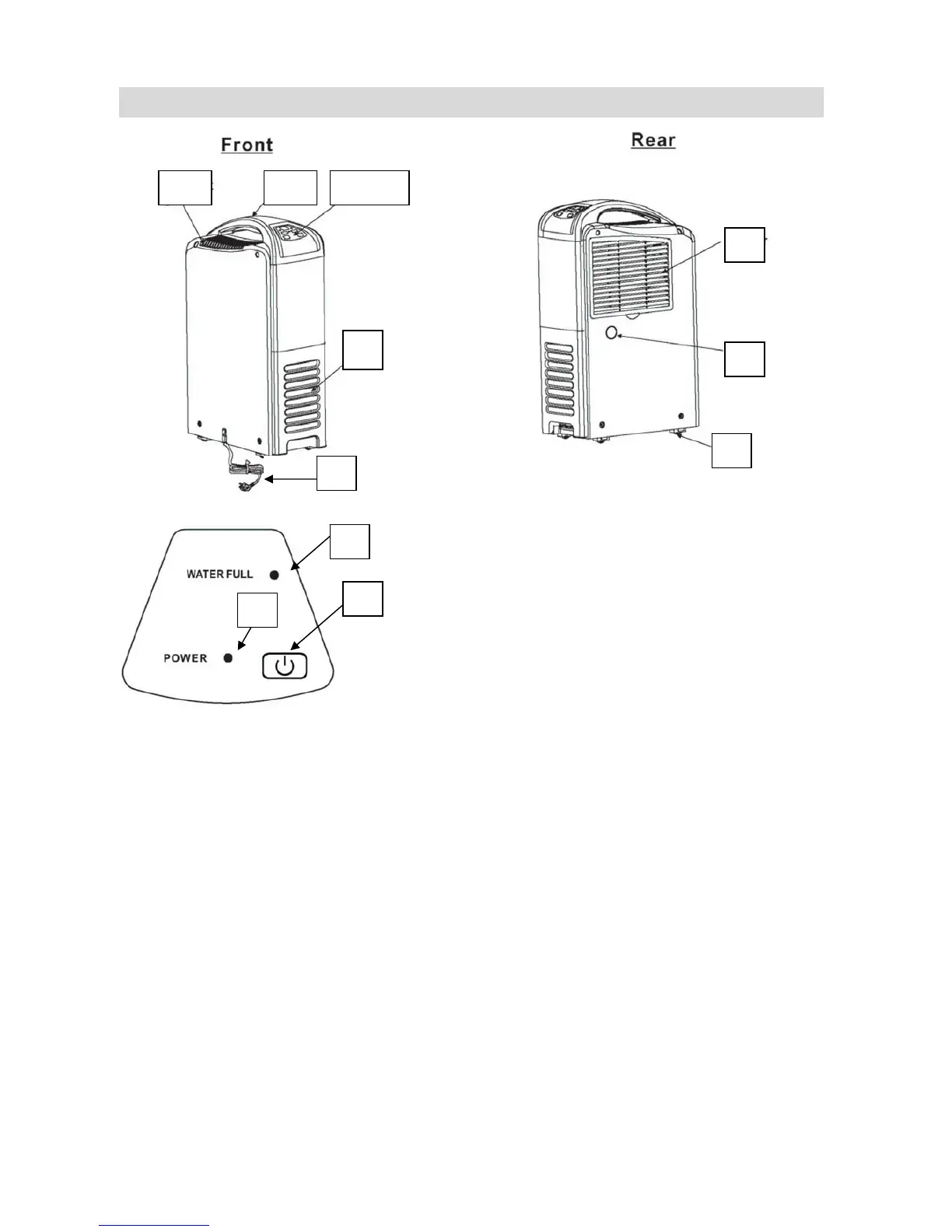
PARTS
1. ON/OFF Switch 2. Power indicator light
4
3
7
8 9
11
6
5
10
3. Water full indicator 4. Control panel
1
2
5. Water tank 6. Power Cord
7. Filter 8. Carry Handle
9. Air outlet grille 10. Continuous drainage hole
11. Caster
Operation
- Plug the unit into a correct mains socket.
- Press ON/OFF switch “(I)” once. The unit will start to work and the power indicator
light will illuminate.
- Press ON/OFF switch “(I)” again. The unit will stop and the power indicator light will
go off.
Note:
1. Do not use the machine when the temperature is over 35℃ or below 5℃.
2. When the unit has been turned off, please wait for at least 3 minutes before turn it on
again. Fails to do this will damage the compressor.


 To Next Page