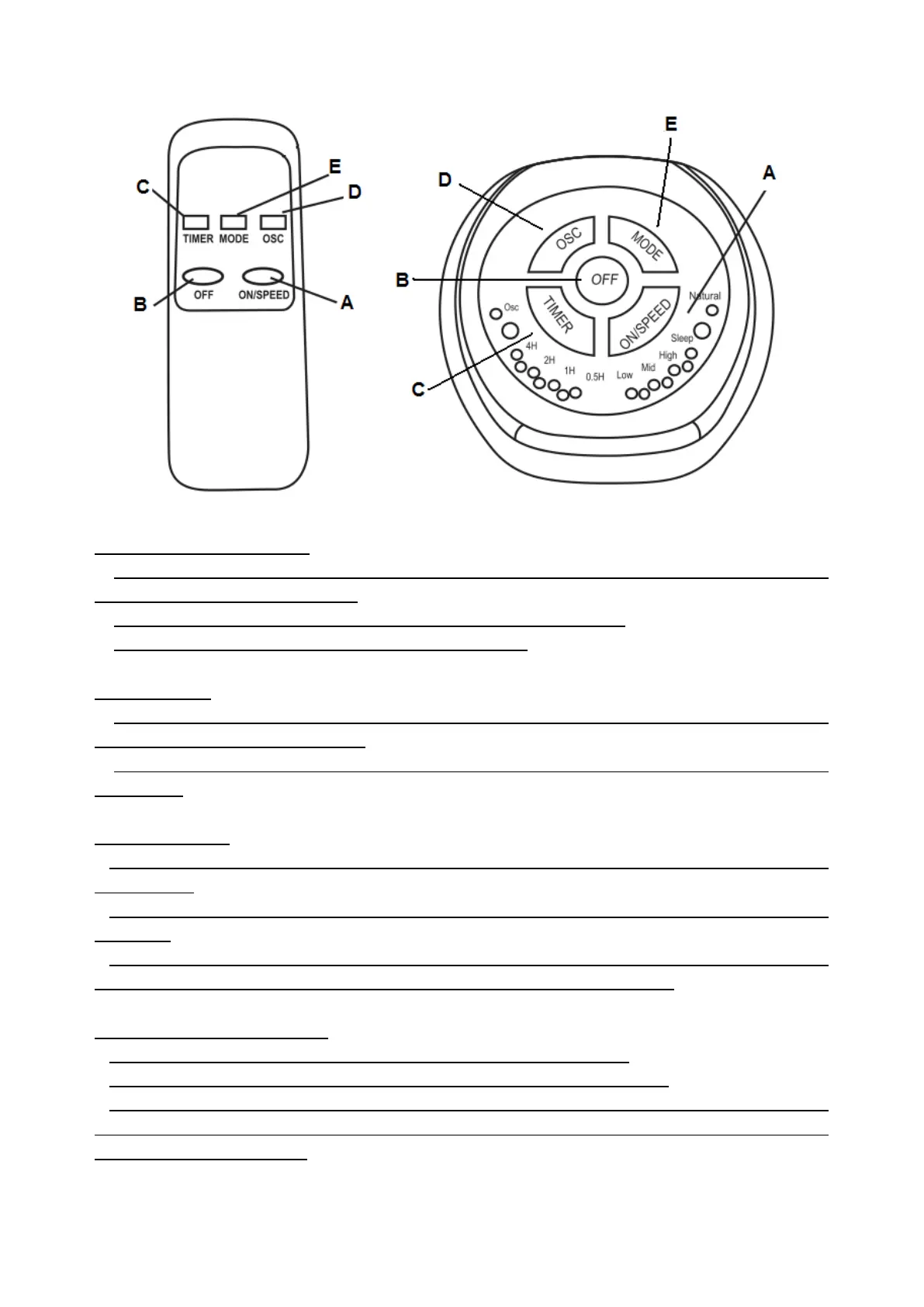
NO/OFF, SPEED SELECTION
1. To turn on the fan, press”ON/SPEED” (A). And press again, the fan will start to operate in
Low/Middle/High speed setting.
2. Continue to press ”ON/SPEED” (A) to select the desired speed.
3. To turn off the fan, press the “OFF”(B) control knob.
OSCILLATION
1. To have oscillation, press oscillation knob “OSC” (D) once on the top of the fan
body.The fan will start oscillation.
2. To stop the oscillation, press oscillation knob “OSC” (D), then the fan will stop
oscillation.
TIMER FUNCTION
1.The fan is equipped with a timer that allows you to set its length of the operation from
0.5h to 7.5h.
2.Press “TIMER” (C) to start the timer mode and continue to press until the desired time is
reached.
3.Each LED indicates a time period.When two or more LED’s are illuminated the time
needs to be added. E.g. 2H and 1H illuminated will give a 3 hour timer.
AIR FLOW SELECTION MODES
1.Normal sets a constant air flow at the currently selected speed.
2.Natural will constantly cycle through high, medium and low speeds.
3.Sleep will constantly cycle through the current selected, and lower than speeds,
reducing by one speed at each 30 minute interval, until low is reached whereby it will
remain on low constantly.



 To Next Page