
EasyManua.ls Logo

Challenger X J750 - User Manual

Challenger X J750
21 pages
Print Icon
To Next Page IconTo Next Page
Loading...
1
USER’S MANUAL
CHALLENGER X
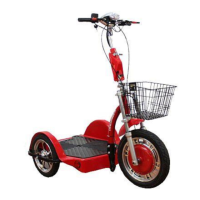
RECREATIONAL ELECTRIC SCOOTER
MODEL: J750
Please read this manual completely before riding your scooter
www.challengermobility.com

Questions and Answers

  • B
    Belinda PerryAug 1, 2025
    Why does my Challenger X J750 stop after a while?
    • D
      Denise LevineAug 1, 2025
      If your Challenger X Mobility Aid stops after a while, it could be due to the batteries needing to be charged. Fully charge the batteries, and/or have the batteries tested.
  • D
    Daniel BishopAug 9, 2025
    What to do if my Challenger X Mobility Aid key is on, battery gauge shows charge, but there is no drive?
    • K
      Kimberly BeasleyAug 10, 2025
      If the key is in the ON position, the battery gauge shows charge, but there is no drive in your Challenger X Mobility Aid, the brake may be engaged, which disables the controller. Depress and unlock the hand brake.
  • B
    brownalbertAug 16, 2025
    How to fix Challenger X J750 that takes too long to brake?
    • B
      Bernard ConradAug 16, 2025
      If your Challenger X Mobility Aid takes too long to brake and doesn't brake completely, the brake may need adjusting. Rotate the brake cable adjuster away from the brake lever.
  • R
    Rachel BriggsAug 25, 2025
    What to do if my Challenger X J750 key is on, but there is no drive?
    • T
      Timothy RhodesAug 25, 2025
      If the key of your Challenger X Mobility Aid is turned to the ON position, but there is no drive, the amperage may be too low to drive and may need charging. Fully charge the batteries.

Summary

Safety Notices

Passenger and Load Limitations

Prohibits carrying passengers or goods, and warns against exceeding weight capacity to avoid voiding warranty.

General Riding Warnings

Essential Riding Practices

Keep feet on platform, avoid obstructions, no alcohol/drugs, good physical/mental condition.

Charging the Batteries

Charging Procedure

Charge batteries for 6-8 hours before first use. Connect charger to scooter port and wall outlet.

Assembly Instructions - Part 1

Assembly Instructions - Part 2

Tiller Installation and Height Adjustment

Insert scooter tiller into the tube, secure with screw and lock buckle for proper position and height.

Assembly Instructions - Part 3

Riding Instructions

Pre-Ride Checks and Power On

Check power gauge, seat height, brake, turn key to ON. Turn key again for headlight.

Initial Operation and Speed Control

Check power light, use speed limit switch, start slow, use forward/reverse button.

Turning and Braking Technique

Gradually turn throttle knob. Slow down when turning and balancing weight.

Basic Troubleshooting

No Drive or Braking Issues

Check battery charge, brake engagement, and adjust brake cable if necessary.

Performance Issues

Address slow speed or stopping by fully charging batteries or testing/replacing them.

Technical Specifications

Performance and Electrical Specs

Lists wheel sizes, voltage, battery size, charger specs, max speed, travel distance, climbing ability.

Limited Warranty

Warranty Coverage Duration

Three-year frame, one-year parts/electronics, six-month batteries. Labor and shipping excluded.

Challenger X J750 Specifications

General IconGeneral
BrandChallenger X
ModelJ750
CategoryMobility Aid
LanguageEnglish