2
Allez sur www.chamberlain.com pour créer un
compte et vous inscrire.
E
4
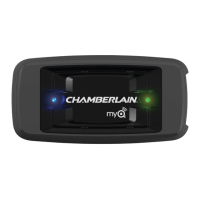
Ajoutez un ou plusieurs appareils MyQ
®
à l’aide
de l’application MyQ
®
ou en vous connectant à
www.mychamberlain.com.
E
3
Téléchargez l’application MyQ
®
depuis Apple
App Store ou Google Play.
E
5
Utilisez votre ordinateur ou téléphone intelligent
pour commander votre appareil.
E


 To Next Page