
 Need help?
Do you have a question about the Chamberlain Smart Garage MYQ-G0401 and is the answer not in the manual?
Details technical requirements and compatibility for the Smart Garage Control.
Identifies and explains the function of buttons and LED indicators on the hub.
Lists all necessary items and prerequisites for setting up the Smart Garage Control.
Guides users on verifying Wi-Fi strength for optimal hub performance.
Instructions for connecting the door sensor to the main hub unit.
Information on which garage door openers are compatible with the control.
Explains the meaning of different LED light patterns on the hub.
The Chamberlain Smart Garage Control is a device designed to add smart control capabilities to your garage door opener, allowing you to monitor and operate your garage door from anywhere using the myQ App. This system is compatible with most garage door opener brands manufactured after January 1, 1993, provided they have photoelectric safety sensors. It is specifically designed for use with sectional garage doors only and is not compatible with gate operators.
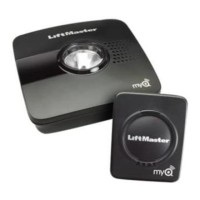
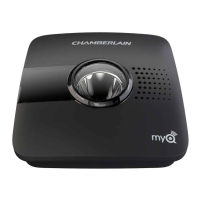
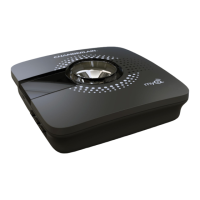
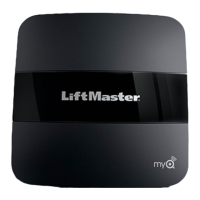
The core of the system is the Hub, which connects to your home's Wi-Fi network and communicates with your garage door opener and other myQ accessories. The Hub features several LED indicators to provide status updates: a green LED for Wi-Fi connection, an amber LED for door sensor pairing, and a blue LED for power and settings. A red LED on the Hub indicates the battery status of the door sensor. The Hub also has buttons for Door 1, Door 2, and Settings, allowing for direct interaction and programming.
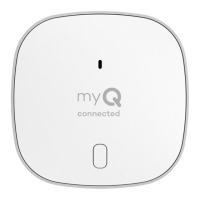
To enable smart control, the system requires at least one Door Sensor, which is mounted on the top panel of your garage door. The Door Sensor communicates with the Hub and has a test button and a red LED to indicate its battery status. A second door sensor can be added to control an additional garage door opener, expanding the system's capabilities to manage up to two garage doors. The Smart Garage Control can also manage up to 16 myQ accessories, such as remote LED lights and light switches, allowing for a more integrated smart home experience.
Setting up the Smart Garage Control involves several steps, primarily guided by the myQ App. First, you download the myQ App and set up an account. The app then walks you through pairing the Door Sensor to the Hub, mounting the Door Sensor, pairing the Hub to your garage door opener, and finally, mounting the Hub. The Hub's placement is crucial for optimal performance; it should be at least 6 feet above the ground, within 5 feet of an electrical outlet, where its light is visible from within the garage, and at least 4 feet away from any metal objects. The app also helps you check your Wi-Fi signal strength in the garage to ensure a reliable connection.
The Door Sensor is designed for easy installation using either hook and loop adhesive strips or optional screws. It's important to ensure the "TOP" indicator on the sensor faces up when mounting. Once installed, the door sensor battery should be tested every 6 months to ensure continued functionality.
Maintenance features include checking and changing the door sensor battery. The battery can be replaced by prying open the latch panel with a coin or screwdriver, gently pushing out the old coin battery, and inserting a new 3V CR2450 coin battery. The system also allows you to erase Wi-Fi settings from the Hub or reset the Hub to factory default, which can be useful for troubleshooting or when changing your home network. If you replace your router or update your Wi-Fi password, you'll need to update these settings in the myQ App.
Troubleshooting guidance is provided for various issues. If the app says "Monitor Mode," it indicates the door sensor is paired but the garage door opener is not. In this case, you can try to pair the opener through the app, or adjust the Hub's location to ensure better communication. For "Close error" messages, check for obstructions in the safety sensor beam, confirm the door operates correctly from the wall control, and verify the Hub's placement. "Off line error" suggests a loss of connection between the Hub and the router, prompting checks of power, internet connection, and app instructions.
The LED indicators on the Hub provide visual cues for troubleshooting:
The Smart Garage Control is designed to integrate with various interactive service providers and accessories, enhancing its utility within a smart home ecosystem. It is important to note the safety warnings, particularly that the device should only be enabled with sectional doors and not with one-piece or swinging doors, and only with door openers manufactured after 1993 that use photoelectric sensors.
 General
| Brand | Chamberlain |
|---|---|
| Model | MYQ-G0401 |
| Category | Garage Door Opener |
| Connectivity | Wi-Fi |
| Smartphone Control | Yes |
| Alerts | Yes |
| Installation | DIY |
| Product Type | Smart Garage Door Opener |
| Compatibility | Most garage door openers |
| Mobile App | myQ App |
| Voice Control | Yes (Amazon Alexa, Google Assistant) |
| Power Supply | AC adapter |
| Power Source | AC Power |



 To Next Page
