K:\Products\Packing\BC\BC-PL788-CF,SD\ChampBarcodeScannerQuickStartGuide.doc
3
8. Assign a Trigger button on your Pocket PC
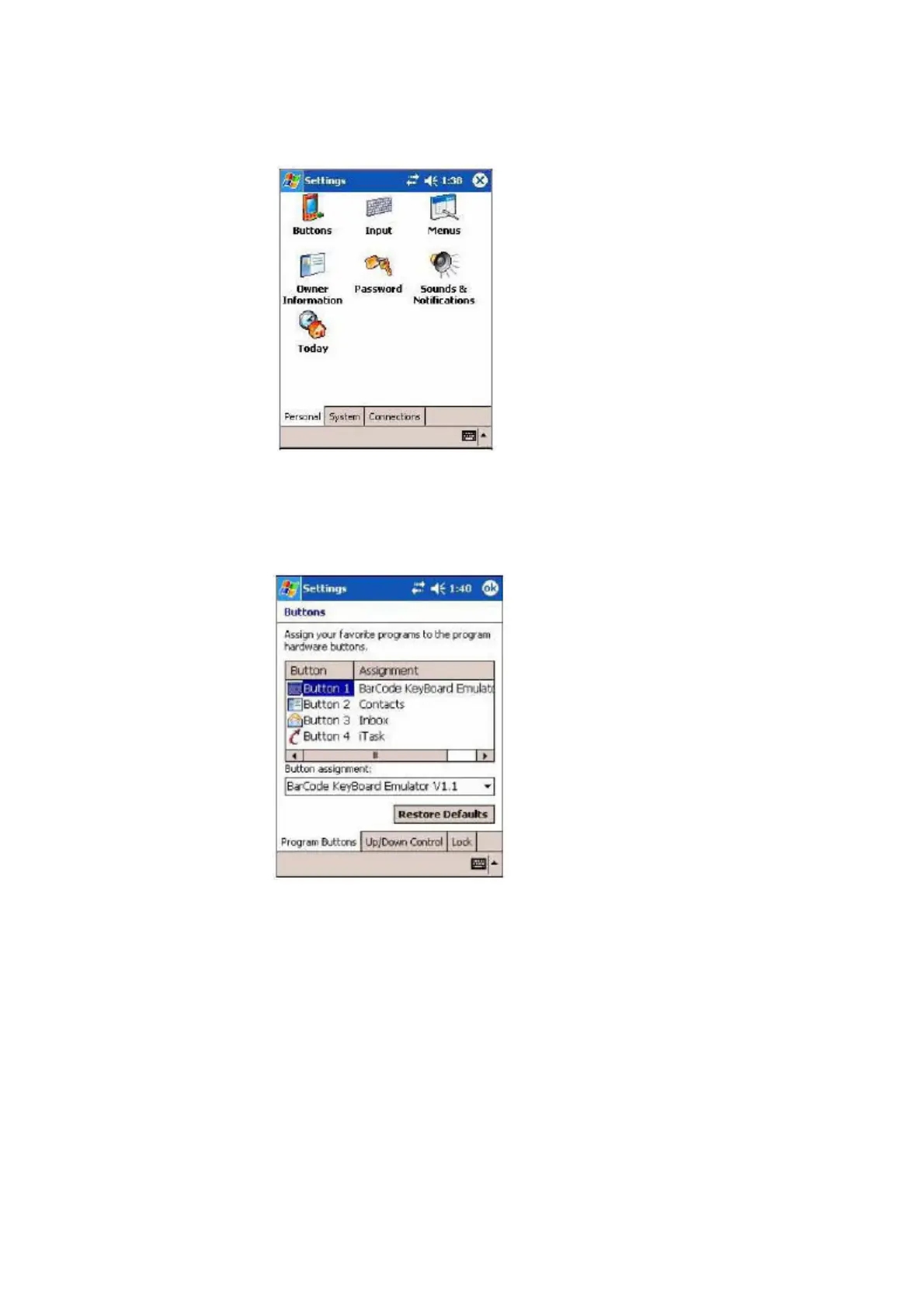
8.1 [Start][Settings][Buttons]
8.2 From the Button List, select a Pocket PC button to trigger WHANTO Barcode
Reader. In the Button Assignment field, select Barcode KeyBoard Emulator.
When done, tap ok.
8.3 After the Pocket PC is powered off and power on again, you can press the
Trigger Button to restart the Keyboard Emulator program, then scan the
barcode.



 To Previous Page