EasyManua.ls Logo

Champion WheelyBird - User Manual

Champion WheelyBird
15 pages
Print Icon
To Next Page IconTo Next Page
Loading...
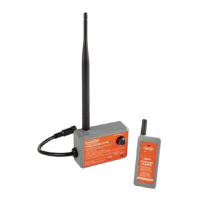
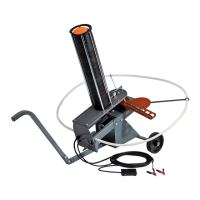
WHEELYBIRD™ */WORKHORSE®
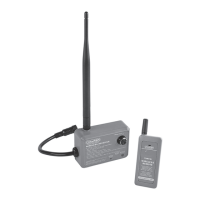
WIRELESS REMOTE
Part No: 40923
Instruction Manual
WARNING: TO AVOID SERIOUS INJURY OR PROPERTY DAMAGE,
THOROUGHLY READ INSTRUCTIONS BEFORE USING.
* compatible with Champion WheelyBird traps with removable foot pedal manufactured in 2017 or later
(FRANÇAIS : Pg. 7)
ENGLISH
40923_WirelessRemote_WheelybirdWorkhorse_2LIMv2.indd 1 9/26/17 11:29 AM
Question and Answer IconNeed help?

Do you have a question about the Champion WheelyBird and is the answer not in the manual?

Summary

Introduction and Regulatory Compliance

Introduction to Wireless Remote

Overview of the Champion Wireless Remote and its compatibility with WheelyBird traps.

FCC Compliance and Statements

Details on FCC Part 15 compliance, interference, and radiation exposure limits.

Industry Canada Compliance

Details on Industry Canada RSS compliance and radiation exposure limits.

Safety Precautions

General Operating Warnings

Key warnings for safe operation, including avoiding cocked traps and safe zones.

Pre-Installation Safety Checks

Mandatory checks before installation: uncocked arm, trap off, battery disconnected.

Maintenance and Unattended Operation Safety

Disconnect power when unattended, check others are safe before releasing.

Critical Safety Reminder

WARNING: Failure to follow safety rules can result in serious injury or death!

Package Contents

Receiver and Antenna

Includes the wireless receiver unit and its attachable antenna.

Transmitter

The push button wireless remote transmitter.

Connectors and Accessories

Includes power/output connector, mounting pad, and transmitter battery.

Features and Descriptions

Receiver Unit Components and Functions

Details on receiver's learn button, status light, antenna, and throw delay.

Transmitter Components and Functions

Details on transmitter's button, signal light, antenna, and battery compartment.

Programming the Wireless Remote

Pairing Transmitter and Receiver

Steps to pair the push button transmitter with the receiver using the learn button.

Multiple Receiver Support

Note on assigning multiple receivers to one transmitter for simultaneous control.

Installation Instructions

Mounting the Receiver

Connect receiver's power/output connector and mount receiver to trap using adhesive.

Operating the Wireless Remote

Pre-Operation Steps

Steps before operation: safe release, power off/disconnect, connect receiver, power on.

Launching Targets

How to operate the trap using the remote's throw button for target launch.

Disarming and Stopping Operation

Procedure to safely disarm receiver(s) and stop trap operation.

Troubleshooting Common Issues

Remote Light Flashing

Issue: Push button remote light is flashing. Solution: Replace transmitter battery.

Remote Not Operating Receiver

Troubleshooting steps when the remote does not activate the receiver.

Reduced Operating Range

Issue: Reduced wireless range. Solution: Replace transmitter battery.

Warranty Information

Limited Warranty Details

Six (6) month warranty against defects in material or workmanship for original purchaser.

Warranty Exclusions

Excludes damage from carelessness, misuse, improper installation, modification, or wear and tear.

Liability Limitations

Limits liability for damages to purchase price, excludes consequential/incidental damages.

Contact and Support

Company Contact Information

Contact details for Champion Traps and Targets, including address, phone, and website.

Summary

Introduction and Regulatory Compliance

Introduction to Wireless Remote

Overview of the Champion Wireless Remote and its compatibility with WheelyBird traps.

FCC Compliance and Statements

Details on FCC Part 15 compliance, interference, and radiation exposure limits.

Industry Canada Compliance

Details on Industry Canada RSS compliance and radiation exposure limits.

Safety Precautions

General Operating Warnings

Key warnings for safe operation, including avoiding cocked traps and safe zones.

Pre-Installation Safety Checks

Mandatory checks before installation: uncocked arm, trap off, battery disconnected.

Maintenance and Unattended Operation Safety

Disconnect power when unattended, check others are safe before releasing.

Critical Safety Reminder

WARNING: Failure to follow safety rules can result in serious injury or death!

Package Contents

Receiver and Antenna

Includes the wireless receiver unit and its attachable antenna.

Transmitter

The push button wireless remote transmitter.

Connectors and Accessories

Includes power/output connector, mounting pad, and transmitter battery.

Features and Descriptions

Receiver Unit Components and Functions

Details on receiver's learn button, status light, antenna, and throw delay.

Transmitter Components and Functions

Details on transmitter's button, signal light, antenna, and battery compartment.

Programming the Wireless Remote

Pairing Transmitter and Receiver

Steps to pair the push button transmitter with the receiver using the learn button.

Multiple Receiver Support

Note on assigning multiple receivers to one transmitter for simultaneous control.

Installation Instructions

Mounting the Receiver

Connect receiver's power/output connector and mount receiver to trap using adhesive.

Operating the Wireless Remote

Pre-Operation Steps

Steps before operation: safe release, power off/disconnect, connect receiver, power on.

Launching Targets

How to operate the trap using the remote's throw button for target launch.

Disarming and Stopping Operation

Procedure to safely disarm receiver(s) and stop trap operation.

Troubleshooting Common Issues

Remote Light Flashing

Issue: Push button remote light is flashing. Solution: Replace transmitter battery.

Remote Not Operating Receiver

Troubleshooting steps when the remote does not activate the receiver.

Reduced Operating Range

Issue: Reduced wireless range. Solution: Replace transmitter battery.

Warranty Information

Limited Warranty Details

Six (6) month warranty against defects in material or workmanship for original purchaser.

Warranty Exclusions

Excludes damage from carelessness, misuse, improper installation, modification, or wear and tear.

Liability Limitations

Limits liability for damages to purchase price, excludes consequential/incidental damages.

Contact and Support

Company Contact Information

Contact details for Champion Traps and Targets, including address, phone, and website.

Champion WheelyBird Specifications

General IconGeneral
BrandChampion
ModelWheelyBird
CategoryRemote Control
LanguageEnglish

Related product manuals