EasyManua.ls Logo

ChamSys SnakeSys B4 - User Manual

ChamSys SnakeSys B4
51 pages
Print Icon
To Next Page IconTo Next Page
Loading...
SnakeSys User Manual i
SnakeSys User Manual
Question and Answer IconNeed help?

Do you have a question about the ChamSys SnakeSys B4 and is the answer not in the manual?

Summary

1 SnakeSys Products

1.1 SnakeSys Philosophy

Details the core design principles and manufacturing philosophy of SnakeSys products.

1.2 Networking

Explains networking protocols and configurations for SnakeSys devices.

2 SnakeSys B4

2.1 Product Diagram

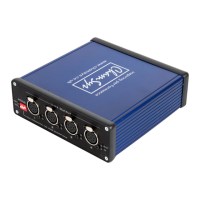
Visual guide to the SnakeSys B4's physical ports and controls.

2.8 DMX Buffer Mode

Instructions for operating the SnakeSys B4 as a standalone DMX buffer.

3 SnakeSys R4

3.1 Product Diagram

Visual guide to the SnakeSys R4's physical ports and controls.

3.11 Rear Panel Diagram

Visual guide to the SnakeSys R4's rear panel connections and indicators.

4 SnakeSys T2

4.1 Product Diagram

Visual guide to the SnakeSys T2's physical ports and controls.

4.4 Menu System

Overview of the SnakeSys T2's built-in menu system for configuration.

5 SnakeSys R8

5.1 Product Diagram

Visual guide to the SnakeSys R8's physical ports and controls.

5.4 Menu System

Overview of the SnakeSys R8's built-in menu system for configuration.

6 Network Manager (SnakeSys)

6.3 Upgrading SnakeSys firmware

Step-by-step instructions for upgrading SnakeSys device firmware using MagicQ.

6.5 Output Setup

Setting up MagicQ for outputting/inputting universes with SnakeSys products.

7 SnakeSys Firmware Release Notes (B4, R4, T2)

7.1 Version 216

Firmware version 216 release notes for SnakeSys R4, T2 & B4.

7.2 Version 215

Firmware version 215 release notes for SnakeSys B4, focusing on settings clear.

8 SnakeSys Firmware Release Notes (R8)

8.1 Version 214

Firmware version 214 release notes for R8.

8.2 Version 213

Firmware version 213 release notes for R8.

Summary

1 SnakeSys Products

1.1 SnakeSys Philosophy

Details the core design principles and manufacturing philosophy of SnakeSys products.

1.2 Networking

Explains networking protocols and configurations for SnakeSys devices.

2 SnakeSys B4

2.1 Product Diagram

Visual guide to the SnakeSys B4's physical ports and controls.

2.8 DMX Buffer Mode

Instructions for operating the SnakeSys B4 as a standalone DMX buffer.

3 SnakeSys R4

3.1 Product Diagram

Visual guide to the SnakeSys R4's physical ports and controls.

3.11 Rear Panel Diagram

Visual guide to the SnakeSys R4's rear panel connections and indicators.

4 SnakeSys T2

4.1 Product Diagram

Visual guide to the SnakeSys T2's physical ports and controls.

4.4 Menu System

Overview of the SnakeSys T2's built-in menu system for configuration.

5 SnakeSys R8

5.1 Product Diagram

Visual guide to the SnakeSys R8's physical ports and controls.

5.4 Menu System

Overview of the SnakeSys R8's built-in menu system for configuration.

6 Network Manager (SnakeSys)

6.3 Upgrading SnakeSys firmware

Step-by-step instructions for upgrading SnakeSys device firmware using MagicQ.

6.5 Output Setup

Setting up MagicQ for outputting/inputting universes with SnakeSys products.

7 SnakeSys Firmware Release Notes (B4, R4, T2)

7.1 Version 216

Firmware version 216 release notes for SnakeSys R4, T2 & B4.

7.2 Version 215

Firmware version 215 release notes for SnakeSys B4, focusing on settings clear.

8 SnakeSys Firmware Release Notes (R8)

8.1 Version 214

Firmware version 214 release notes for R8.

8.2 Version 213

Firmware version 213 release notes for R8.

ChamSys SnakeSys B4 Specifications

General IconGeneral
TypeDMX to Ethernet Converter
ProtocolsArt-Net, sACN
DMX Ports4
Ethernet Ports1
MountingRack-mountable
Input PortsConfigurable, up to 4 DMX ports
Output PortsConfigurable, up to 4 DMX ports
Power Supply100-240V AC