EasyManua.ls Logo

Changhong Electric PT4216 - User Manual

Changhong Electric PT4216
28 pages
Print Icon
To Next Page IconTo Next Page
Loading...
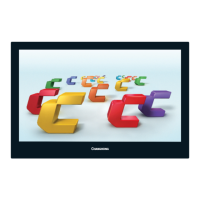
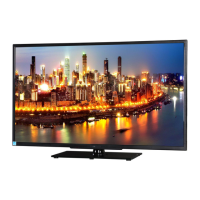
PDP COLOR TELEVISION
PT4216
PT5016
OPERATION MANUAL
Please read this manual carefully before operation.

Other manuals for Changhong Electric PT4216

Questions and Answers

  • C
    Cassandra TaylorAug 15, 2025
    Why is my Changhong Electric PT4216 TV remote control not working?
    • T
      Tyler MasonAug 16, 2025
      The remote control might not be working because the batteries are improperly installed or exhausted. Ensure the positive and negative polarities are correct, check for loose contact between the springs and the batteries, or replace the batteries.
  • B
    Brian FernandezAug 19, 2025
    What to do if my Changhong Electric PT4216 has no picture, no sound, but the green light is on?
    • C
      Carrie HammondAug 19, 2025
      If your Changhong Electric TV has no picture or sound but the green light is on, it could be due to several reasons: the contrast, sharpness, color, and volume are all set to the minimum, or the TV is in mute mode (alter these values). Also, if in PC mode, press any button or input PC signal. Finally, ensure the signal cord is correctly connected.
  • R
    Randall EatonAug 22, 2025
    How to fix Changhong Electric PT4216 TV when there is no picture, no sound, and no indicator light on?
    • J
      Jordan JohnsonAug 22, 2025
      If there is no picture, no sound, and no indicator light on your Changhong Electric TV, the power cord might not be plugged in (plug it in), or the power may be off (turn the power on).
  • L
    Laura HumphreyAug 25, 2025
    What to do if my Changhong Electric PT4216 TV has picture and sound with abnormity?
    • A
      awilliamsAug 26, 2025
      If your Changhong Electric TV is showing picture and sound with abnormity, it might be because the contrast, sharpness, and color are set improperly (adjust these values). Alternatively, the color system or sound system might be set improperly (set them to the country broadcasting standard).
  • A
    Andre DuncanAug 27, 2025
    Why is there no sound on my Changhong Electric TV?
    • J
      jacqueline88Aug 28, 2025
      If there is no sound on your Changhong Electric TV, it could be due to no audio signal or the signal cord being improperly connected (connect the audio signal cord properly). It may also be that the sound system is improperly set (set the sound system properly).
  • T
    Todd RichardsonAug 31, 2025
    Why is there a blue background in AV mode on my Changhong Electric TV?
    • M
      Matthew BellAug 31, 2025
      A blue background in AV mode on your Changhong Electric TV typically means there's no video signal or the signal cord is improperly connected. Connect the signal cord properly to resolve this.
  • J
    Jesus MendozaSep 2, 2025
    What to do if the colors of PC picture on Changhong Electric PT4216 TV display are improper?
    • D
      daviscynthiaSep 3, 2025
      If the colors of the PC picture on your Changhong Electric TV display are improper, it means that the user made the wrong Color Temp adjustment. Readjust the Color Temperature.
  • R
    Ryan EnglishSep 5, 2025
    Why is the picture spotted or with snow on my Changhong Electric TV?
    • K
      Kristin SmithSep 5, 2025
      If the picture on your Changhong Electric TV is spotted or snowy, the signal source might be low-grade, or the signal cord is of lower quality. Use a qualified signal cord.
  • B
    Brittney HillSep 8, 2025
    What to do if PC picture is not in the middle of the screen on Changhong Electric PT4216?
    • A
      Alexis ElliottSep 8, 2025
      If the PC picture is not in the middle of the screen on your Changhong Electric TV, it means that the picture is not well adjusted. Adjust pictures automatically by resetting H Position, V Position, Phase and Clock.
  • N
    Nicole SchneiderSep 12, 2025
    What to do if picture is unclear, or moves or have black stripes on horizontal position in PC mode on Changhong Electric TV?
    • J
      Jennifer BellSep 12, 2025
      If the picture is unclear, moves, or has black stripes on the horizontal position in PC mode on your Changhong Electric TV, it means that the picture is not well adjusted. Adjust automatically by selecting Auto Adjust or adjust Clock and Phase manually after entering into the PC Setting menu to solve this problem.

Summary

Safety, Maintenance, and Instructions

General Safety Precautions

Essential warnings for safe TV operation and maintenance.

Power Cord and Electrical Safety

Guidelines for safe handling of the power cord and plug.

Environmental Placement Guidelines

Best practices for placing the TV in its environment.

Antenna Installation and General Operation

Extended Environmental & Power Cord Safety

Additional safety advice for environment and power cord.

Television Functions Explained

Detailed List of TV Functions

Comprehensive explanation of all functions controllable via the remote.

Installation and Basic Operation

PDP TV Installation Guide

Step-by-step instructions for physically installing the TV.

Menu Navigation and Function Introductions

Navigating the On-Screen Display (OSD)

Guide to using the main menu and its submenus.

Picture and Audio Setting Menus

Detailed guides for adjusting picture and audio parameters.

General Settings Menu Configuration

Timer, Child Lock, and PC Settings

Timer Setting Menu Functionality

Setting sleep timers, on/off times, and input channels.

Child Lock Feature Setup

How to enable, disable, and manage channel locks.

Troubleshooting Common Issues

Diagnosing and Resolving TV Problems

A guide to common symptoms and their solutions.

Sound Box Installation Manual

Sound Box Connection and Safety

Instructions for connecting sound boxes and important installation safety cautions.

Changhong Electric PT4216 Specifications

General IconGeneral
BrandChanghong Electric
ModelPT4216
CategoryTV
LanguageEnglish

Related product manuals