EasyManua.ls Logo

Channel Lock VJC809PF-C 2001 - User Manual

Channel Lock VJC809PF-C 2001
17 pages
Print Icon
To Next Page IconTo Next Page
Loading...
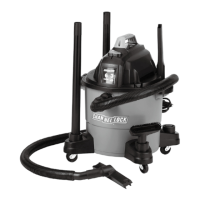
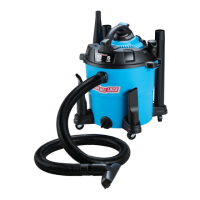
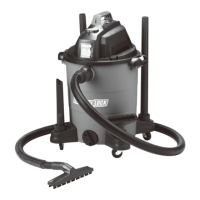
8 GALLON
WET/DRY VACUUM
MODEL: VJC809PF-C 2001
CAUTION: FOR YOUR SAFETY Read and understand
this manual before use. Keep this manual for future
reference.
SAVE THIS MANUAL FOR FUTURE REFERENCE
Pay close attention to the Rules for Safe Operation, Warnings, and
Cautions. You will enjoy years of safe, reliable service if you use your tool
properly and only for the purpose for which it is intended.

Questions and Answers

  • C
    Chelsea HaysAug 4, 2025
    What to do if my Channel Lock VJC809PF-C 2001 will not operate?
    • D
      Damon DennisAug 4, 2025
      If your Channel Lock Vacuum Cleaner won't operate, there are several potential causes: * Check the power supply, including the cord, breakers, and fuses. * Unplug and inspect the power cord for damage; if damaged, have it repaired by a professional. * Empty the collection tank if it's full. * Ensure the switch is in the correct position by pressing the ON “I” button on the power head. * Check nozzle, hose and container inlets and clean it.
  • J
    joshuasantiagoAug 19, 2025
    Why my Channel Lock Vacuum Cleaner won't turn on?
    • D
      Deborah AndersonAug 19, 2025
      Your Channel Lock Vacuum Cleaner might not turn on due to several reasons: * A lack of power supply. Check the cord, breakers, and fuses. * A faulty power cord. Unplug the vacuum and inspect the cord. If it's damaged, get it repaired by a qualified professional. * A full collection tank. Empty the tank. * The switch being in the wrong position or damaged. Press the ON “I” button on the power head. * Check nozzle, hose and container inlets and clean it.

Summary

Important Safety Instructions

Polarized Plug

Details the polarized plug design for electrical safety and correct outlet usage.

Extension Cords

Introduction

Assembly

General Assembly Instructions

Step-by-step instructions for assembling the vacuum cleaner components after unpacking.

Operation

Vacuuming Dry Materials

Procedure for vacuuming dry debris, including necessary filter installation and precautions.

Vacuuming Liquids

Steps for safely vacuuming liquids, specifying filter requirements and tank emptying.

Blowing Operation

How to utilize the blower function, including setup, safety, and usage tips.

Maintenance

Emptying the Collection Tank

Instructions for safely emptying and cleaning the vacuum cleaner's collection tank after use.

Installing and Cleaning Cartridge Filter

Guide on how to install, remove, and clean the dry cartridge filter for optimal dry vacuuming.

Installing Replacement Cartridge Filter

Detailed steps for installing a new cartridge filter, covering different types.

Installing and Cleaning Foam Sleeve Filter

Steps for fitting the foam sleeve filter for wet vacuuming and its subsequent cleaning.

Cleaning and Disinfecting

Procedures for cleaning the vacuum's exterior and disinfecting the collection tank for hygiene.

Storage

Recommendations for proper storage of the wet/dry vacuum cleaner and accessories.

Troubleshooting

Repair Parts

Exploded View and Parts

Warranty

Channel Lock VJC809PF-C 2001 Specifications

General IconGeneral
BrandChannel Lock
ModelVJC809PF-C 2001
CategoryVacuum Cleaner
LanguageEnglish

Related product manuals