EasyManua.ls Logo

Chaparral 2012 SSi - Page 58

Default Icon
113 pages
Print Icon
To Next Page IconTo Next Page
To Previous Page IconTo Previous Page
Loading...
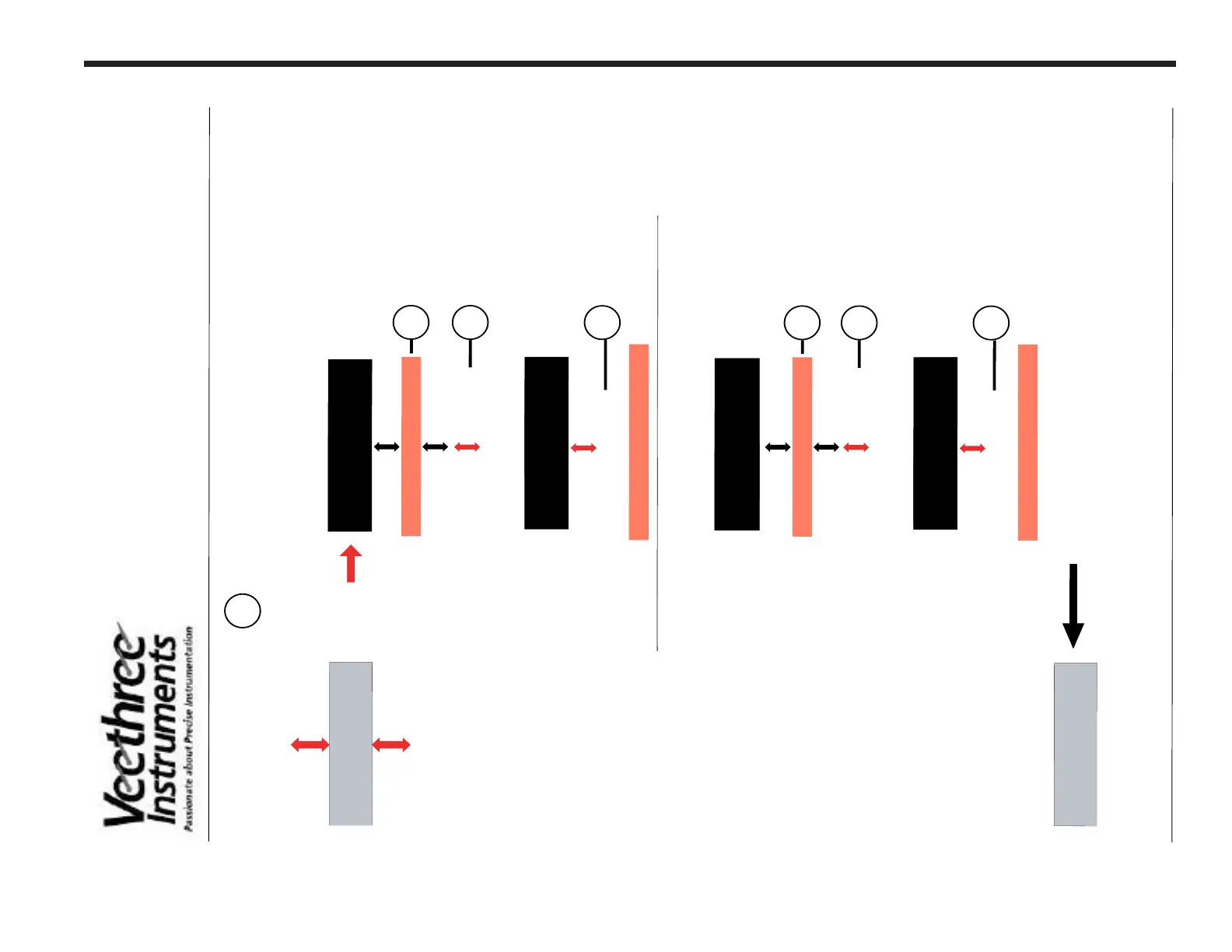
4-9
TRIM CALIBRA
TION PROCEDURE
Calibr
ate Trim
Y
/N
U
P
UP
DN
D
N
C
ali
brati
on Scre
en
ENTERENTER
Trim Full Down
Pre
ss Enter
NO
Screen Reverses Color
Defaults to
NO
U
P
D
N
Trim En
gin
e to d
ow
n
stop
P
ress
Button
Tri
m
Ful
l
Do
wn
YES
S
c
reen
Ch
a
n
ges to
YES
P
ress
E
NTE
R
E
NTE
R
Dow
n
p
osition
is n
ow
stored
1
2
3
4
Trim
Ful
l
Up
N
O
T
h
e UP sc
reen
w
il
l
a
utoma
tic
a
l
l
y a
ppea
r.
Defa
ul
ts to
N
O
Tr
i
m
En
gi
n
e
t
o
u
p
st
op
5
U
P
D
N
P
re
ss
Bu
t
t
on
Tr
i
m
F
ul
l
YES
S
c
re
e
n
C
h
a
n
ge
s
t
o
YES
P
re
ss
E
NT
ERE
NT
ER
U
p
p
osi
t
i
on
i
s
n
ow
st
ore
d
6
7
UP
S
c
re
e
n
C
h
a
n
ge
s
t
o
t
h
e
n
e
x
t
s
c
re
e
n
a
f
te
r C
a
l
i
b
ra
te
T
ri
m
Al
ar
m
s

Related product manuals