EasyManua.ls Logo

Charles 5000 SP C-CHARGER Series - User Manual

Charles 5000 SP C-CHARGER Series
14 pages
Print Icon
To Next Page IconTo Next Page
Loading...
LT-5000SP-1Issue 1 Print 6
Charles Industries, Ltd. All rights reserved. Printed in the United States of America.
C-CHARGER
R
INSTALLATION INSTRUCTIONS
&
OWNER’S MANUA
L
5000 SP Serie
s
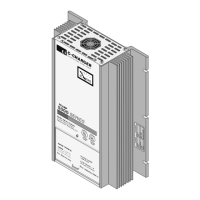
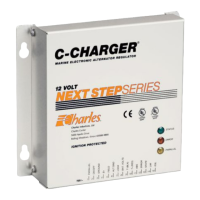
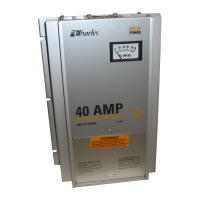
MARINE ELECTRONIC BATTERY CHARGER

Questions and Answers

  • S
    Sarah MartinJul 31, 2025
    What to do if the ammeter deflects counterclockwise on Charles Battery Charger?
    • T
      Terry EdwardsJul 31, 2025
      If the ammeter on your Charles Battery Charger deflects counterclockwise, it usually indicates a wiring error. Immediately disconnect the unit and double-check the wiring instructions to ensure proper connections. Counterclockwise movement or a full-scale movement suggests excessive current. You can use a voltmeter to monitor the battery voltage when the charger is on; you should see an increase in voltage when power is applied.
  • A
    amandahowellAug 12, 2025
    Why is the internal red LED on my Charles Battery Charger on?
    • V
      Vanessa BurnsAug 12, 2025
      If the internal red LED on your Charles Battery Charger is illuminated, it means the unit is operating at half-power because the ambient air is too hot, or the fans are not working. Once the temperature returns to normal, full power will be restored automatically.
  • D
    David MaddenAug 18, 2025
    Why does my Charles Battery Charger take so long to charge batteries?
    • D
      Daniel ThomasAug 18, 2025
      The SP series C-Charger increases a discharged battery voltage slowly to protect the battery's lifespan. The time it takes to recharge depends on how discharged the battery is.
  • E
    Erin HartAug 25, 2025
    How to know when Charles Battery Charger is fully charged?
    • J
      johnsonjessicaAug 25, 2025
      As your batteries charge with the Charles Battery Charger, watch the ammeter. The ammeter reading will gradually decrease. Your batteries are fully charged when the ammeter reads zero.
  • T
    Timothy BakerNov 5, 2025
    How to troubleshoot lack of battery charge: Charles Battery Charger or battery problem?
    • R
      Richard KnightNov 5, 2025
      To determine if the issue lies with your battery or the Charles SP series C-Charger, first, ensure the ammeter reads zero. Then, turn off the AC power to the charger and disconnect the battery for at least one hour. After this, connect the battery to an ohm-volt meter. A reading of 12.6 VDC or higher is ideal. A reading between 12.4 and 12.6 indicates a 75-100% charge, while 12.2 to 12.4 VDC suggests a 50-75% charge. Consult your battery's manual for further instructions. If the battery seems fine, verify the input voltage (120 VAC), check the charger's AC and DC fuses, the battery fuse/AC circuit breaker, and all wiring connections. If these are working, test the charger's DC output by disconnecting all DC outputs, turning off AC power, and then reapplying AC power. The DC voltage between...

Summary

Introducing the SP Series C-Charger

Important Safety Instructions

Environmental Precaution

Avoid exposing the charger to rain, snow, or excessive moisture.

Application Precaution

Units are for hard-wired applications; unauthorized attachments may pose risks.

Damaged Unit Precaution

Do not operate a damaged charger; refer to warranty section.

Disassembly Precaution

Do not disassemble the charger; consult maintenance/troubleshooting sections.

Maintenance;Cleaning Precaution

Disconnect power and batteries before maintenance or cleaning.

Personal Safety Precautions

Follow safety guidelines when working near batteries or the charger.

Preparing to Charge Precautions

Take precautions before charging, like ensuring accessories are off.

Connecting to the Battery Outside the Boat Precaution

Charger is designed for marine use; not for shore or outside boat charging.

Grounding Precautions

Ensure the charger is connected to a metal, grounded wiring system.

Installing the SP Series C-Charger

Verifying Proper Battery;Charger Type

Select the correct battery type (Lead Acid, Gel Cell, AGM) for the charger.

Choosing Mounting Location

Mount vertically flush in a protected area with proper ventilation.

Choosing Mounting Hardware

Use corrosion-resistant 1/4-inch hardware with washers and lock washers.

Mounting the SP Series C-Charger

Follow step-by-step instructions to secure the charger to a bulkhead.

Mounting the Splash Guard

Position and secure the splash guard for ventilation and splash protection.

Choosing Electrical Wiring Hardware

Use appropriate marine electrical installation hardware for hard-wiring.

Choosing Wire Gauge

Determine appropriate wire gauges using Table 2 for AC and DC connections.

Making AC Connections on Terminal Block 1 (TB1)

Connect AC input wires (WHT, BLK, GRN) to the correct terminals on TB1.

Making DC Connections

Connect DC outputs to TB2 using appropriate terminals and torque specifications.

Installing External Fuse (not supplied)

Install a fuse or circuit breaker within 7-72 inches of the battery on positive conductors.

Closing the Cover

Ensure all electrical connections are secure and wiring is tidy before closing the cover.

Applying Power

Apply shore power and turn on the breaker; check ammeter for battery charging indication.

Operating the SP Series C-Charger

Proper Operation

Charger automatically charges and maintains batteries in bulk, absorption, and float modes.

Changing Internal Fuses

Replace blown fuses with ones of the exact same type and rating after ensuring no live power.

Maintaining the SP Series C-Charger

Troubleshooting the SP Series C-Charger

Warranty & Customer Service

Warranty

The unit is warranted against defects for five years from purchase.

Service Center and Repair Correspondence

Contact the Service Center for support and obtain an RMA number for repairs.

Specifications

Charles 5000 SP C-CHARGER Series Specifications

General IconGeneral
Output Voltage12V
Output Current50A
Number of Banks2
Charging AlgorithmMulti-stage
Battery CompatibilityLead-acid, AGM, Gel, Lithium
Protection FeaturesOver-voltage, Over-current, Over-temperature, Short Circuit
Input Voltage100-240VAC, 50/60Hz

Related product manuals