Need help?
Do you have a question about the Chase Bliss Audio Generation Loss MKII and is the answer not in the manual?
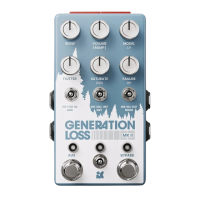
Sets the depth of slow, smooth, random pitch modulation for tape-style motion.
Sets the output level of the wet signal, affecting speed when ramping is engaged.
Steps through tape machine EQ profiles sampled from physical hardware.
Sets the intensity of fast, twitchy, random modulation affecting amplitude and pitch.
Recreates magnetic saturation from loud signals recorded to tape, known as a hysteresis loop.
Introduces small malfunctions like snags, drops, crinkles, and pops for a living feel.
Selects a performance effect activated by the left footswitch.
Sets the loudness of your clean signal, with options NONE, SMALL, and UNITY.
Introduces hiss and mechanical noise, levels are set via hidden options.
Allows saving and recalling presets using the footswitches.
Activates the pedal's bypass function, offering various bypass and dry thru options.
Activates the AUX function, can be used momentarily or for standard on/off.
Holding both footswitches accesses a hidden menu for fine-tuning various aspects of Gen Loss.
 General
| Current Draw | 100 mA |
|---|---|
| Expression Control | Yes |
| Bypass | True Bypass |
| Effects | Modulation |
| Controls | Mix |
| Inputs | 1 x 1/4" (instrument) |
| Power Supply | 9V DC |
| MIDI | Yes |

 To Next Page