Wi-Fi
Wi-Fi
Gladius_5G_xxxxx
xxxxxxxxxx
CHOOSE A NETWORK...
6:27 89%
Settings
xxxxxxxxxx
xxxxxxxxxx
Dory_xxxxx
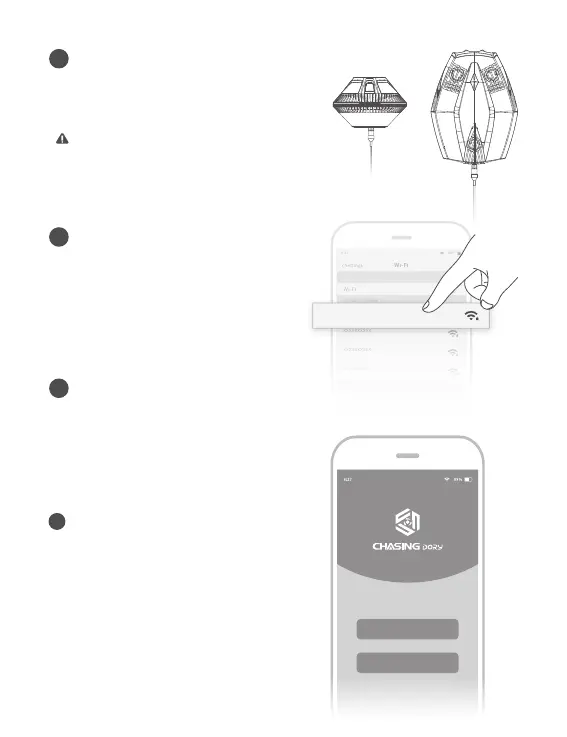
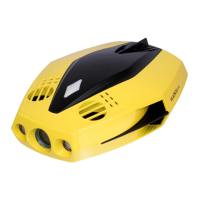
Connect Drone and Wi-Fi Buoy
2
Insert one end of the tether into the drone
and the other end into The Wi-Fi buoy.
Securely hand-tighten both coupling bolts.
Booting Up
3
Once the Dory and the Wi-Fi buoy are
connected, the LED lights on the drone will
flash and you will hear two self-test sounds.
A flashing green light will indicate that both
the Dory and Wi-Fi buoy are powered on.
Note: Check the O-rings on the tether connectors.
If they are missing or damaged, please replace
them. Make sure the tether connectors are dry
before connecting.
5
Registration&Login
When you open the CHASING DORY App
for the first time, please follow the
interface prompts to register for an
account and log in to the App.
A network connection is required during
the registration and login process.
Login
Regist
Wi-Fi Connection
4
On your mobile device, go to Wi-Fi settings.
k and enter rowten ”xxxxx_ yroD“ kcilC
password 12345678.


 To Next Page