LTE Antenna usage
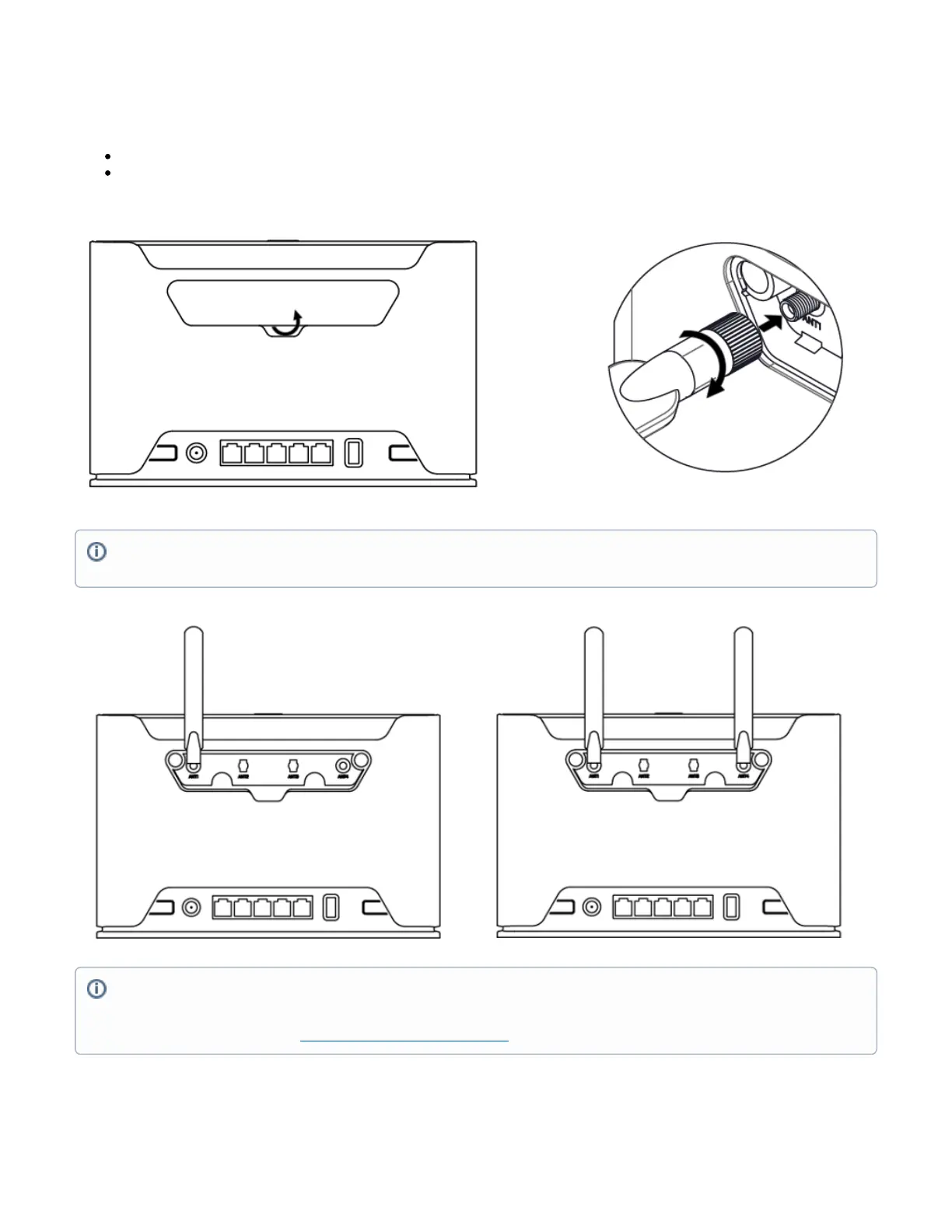
The device has two external antenna connectors on the back behind the doors.
Open doors by pulling them upwards.
Screw the LTE antenna to the SMA connector located on the left side. The maximum diameter for antennas connectors or any other adapters
used is 13 mm.
Removing front cover to access PCB
In case there is a need to access PCB, the front cover can be removed.
When using one antenna, please connect to the SMA connector on the left side (ANT1).
Only when using two antennas, you can connect to the right SMA connector (ANT4).
Please connect and disconnect the antenna, when the device is turned off!
SMA connectors on the device are female.
We recommend using our antennahttps://mikrotik.com/product/mant_lte_5o


 To Next Page