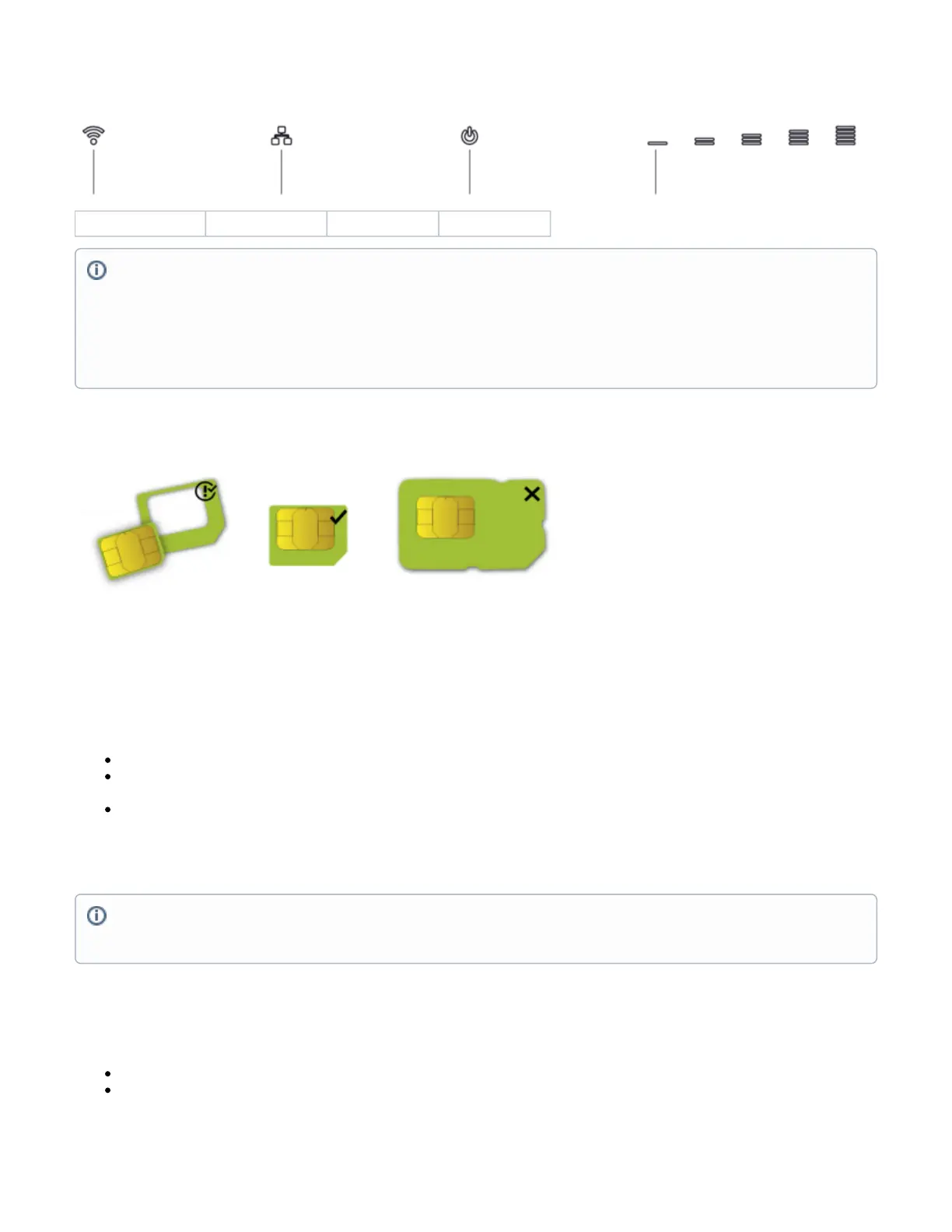
Front LED status
Wireless network activity. Ethernet port activity. Power-on. LTE signal strength.
SIM slot usage
SIM card slot is designed to use with Micro SIM cards.
Nano SIM cards have different thickness, usage with adapter are not recommended.
Reset button
The reset button has three functions:
Hold this button during boot time until the LED light starts flashing, release the button to reset the RouterOS configuration (total 5 seconds).
Keep holding for 5 more seconds, LED turns solid, release now to turn on CAP mode. The device will now look for a CAPsMAN server (total 10
seconds).
Or Keep holding the button for 5 more seconds until LED turns off, then release it to make the RouterBOARD look for Netinstall servers (total 15
seconds).
Regardless of the above option used, the system will load the backup RouterBOOT loader if the button is pressed before power is applied to the device.
Useful for RouterBOOT debugging and recovery.
Accessories
The package includes the following accessories that come with the device:
EU/US Switching Power Supply 24 V , 1.2 A, 28.8 W, 86.8 %, VI, cable:150 cm.
CAT5E UTP Flat Cable, 8P8C, AWG32, 1.5 m, white color.
Cellular connection technology based on system/power LED color:
Red: GSM
Yellow: 3G
Blue: LTE
Green: 5G NSA
Violet: 5G SA
Led not blinking: Not registered
Netinstall
When performing Netinstall, make sure to use the latest v7 version of both ROS files and the Netinstall software.


 To Next Page