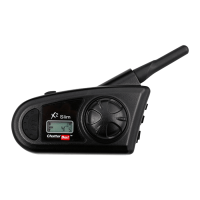
*Handsfree function*
1
To answer a call while
listening Radio
As ringing a bell, press quickly JOG Button
2
To call while listening
Radio
Press 2 sec JOG Button (at Setup mode, as voice mode is set, do Voice Call)
3 To end a call Press quickly JOG Button, music returns after call..
4 To reject a call When ringing a bell, press 2 sec JOG Button
5
While talking, to
convert to mobile
phone
While talking, press 2 sec JOG Button
6 To adjust volume when audio is on, turn JOG Dial (Left/Right)
7 To convert Mode
1. While talking, mode conversion is NOT available
2. While using Radio, mode conversion is available
3. When No function is on, mode conversion is available.
(Press twice quickly JOG Button )
7. Intercom Mode
1
Intercom
communication
Select Intercom Mode to communicate
*Handsfree Function*
1
While talking, to
answer mobile
When a bell is ringing, press quickly JOG Button
2
While talking, to call
mobile
Press 2 sec JOG Button (at Setup mode, as voice mode is set, do Voice Call)
3 To end call Press quickly JOG Button, music returns after call..
4 To reject call When ringing a bell, press 2 sec JOG Button
5
While talking, to
convert to mobile
While talking, press 2 sec JOG Button
6 To adjust volume when audio is on, turn JOG Dial (Left/Right)
7 To convert mode
1. While talking, mode conversion is NOT available
2. While using Radio, mode conversion is available
3. When No function is on, mode conversion is available.
(Press twice quickly JOG Button )


 To Next Page
 Loading...