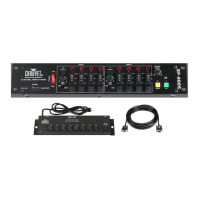
EN FC-T Wired Timer Controller
5200 N.W. 108th Ave., Sunrise, FL 33351 U.S.A. (800) 762-1084 – (954) 577-4455 FAX (954) 929-5560 www.chauvetlighting.com
The FC-T wired timer controller allows you to automatically trigger
fog output by setting interval
and duration times. LED indicator lights display the machine and controller’s current state. Rotary
knobs set interval and duration times, while manual and continuous buttons allow overriding control.
1. Plug in the fog machine to power and turn the power switch to the product
on.
2. Plug in the timer controller to the Manual Controller socket on the back of
the fog machine.
3. Press the <TIMER ON/OFF> latching button on the timer controller. The
Timer LED Indicator above the button will light up. The <TIMER
ON/OFF> latching button will remain on until it is pressed again.
4. Set the INTERVAL, DURATION, and OUTPUT adjustment knobs to the
desired positions.
• INTERVAL knob sets the amount of time in between bursts of fog
• DURATION knob sets the length of time that the fog machine will
run during the burst
• OUTPUT knob adjusts the fog output
5. Press the <CONTINUOUS> latching button and the fog machine outputs
fog until the button is pressed again. The Manual/Power LED Indicator
above the button will light up during continuous operation.
Note: The duration of continuous fog output is based on the capability of
the fog machine.
6. Press the <MANUAL>
button to momentarily output fog. The fog machine
will output fog for as long as you hold down the button. During manual
operation the Manual Momentary LED Indicator above the button will light
up.
Note: The duration of manual fog output is based on the capability of the
fog machine.
Note: The output knob will not functi
on on older fogger products
Hurricane 901, Hurricane 1100, Hurricane 1101, Hurricane 1300,
Hurricane 1301, and the Hurricane 1800 Flex)
Manual/Power
LED
Indicator
Manual Control
Momentary
Button
Continuous
Latching Button
Timer On/Off
Latching
Button

 Need help?
 General

 To Next Page