i80 GNSS Receiver Quick Tour with FieldGenius (PDA Network Mode)
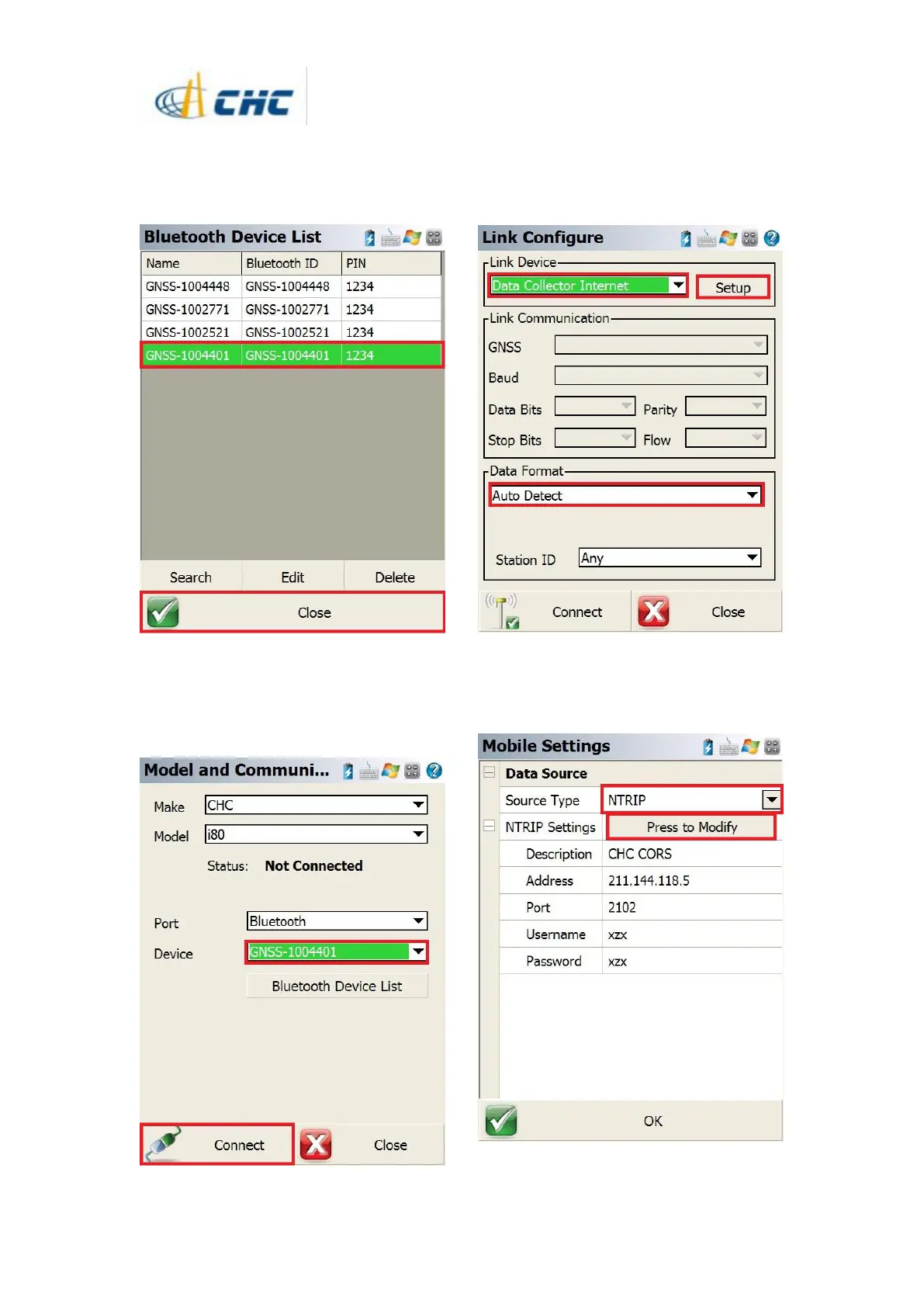
13. Then our target device can be selected in
the bluetooth device list. Click [OK] button
back to [Model and Communication]
interface.
14. The target device can be selected in the
drop-down box then click [Connect] button.
The software will build the connection to your
device
14. Select the Link Device as [Data Collect
Internet] from the drop-down box, select the
Data Format as [Auto Detect] then click the
[Setup] button.
15. Please select the Source Type as NTRIP.
Click [Press to modify] button to create a
NTRIP account information.



 To Next Page