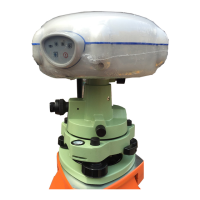
17. Please check the green LED of i80
whether is flashing.
If so, it means the base configuration is
successfully.
2.3 Parameters setting in data link
Normally, we can do the Datalink Setting by
pressing the [up], [down] and [Output Switch]
button. [up] and [down] are used to select
frequency channels. Output switch button is
used to set output power, blue indicates Low,
red indicates high.
Up and Down button to set channel, Output
Switch Button to set transmitting power as
project need.
Note: P&F information is the most important,
the bigger the power, the longer distance it
will send, and do remember to record the
frequency channel you set here as it will be
used later when Rover setting.



 To Previous Page