Congratulations! You have chosen the finest, most versatile chemical injection pump made; designed to exacting
specifications for long life, reliable performance, and low maintenance. To ensure proper operation and to maximize
the Series 5400/8400’s durability, please read and follow this guide. Failure to correctly install and maintain the
pump is a primary cause for future service problems and may void certain warranty provisions.
NOTE: This Guide applies to all CheckPoint Chemical Injectors, Part Numbers P54xxxxx and P84xxxxx.
NOTE: Important illustrations, graphs, and charts are located throughout this Guide, with cutaway drawings
of the pump in the back.
1. PUMP INSTALLATION
1.1 Process Design & Setup
1.1.1 Prior to installing your injector, please inspect the pump carefully for any possible in-transit damage. If the
pump appears damaged, call your authorized CheckPoint distributor or call CheckPoint customer service directly at
(800) 847-7867 or (504) 340-0770 to confirm damaged condition. If we determine that damage has occurred in
transit, you will need to file a claim with the carrier.
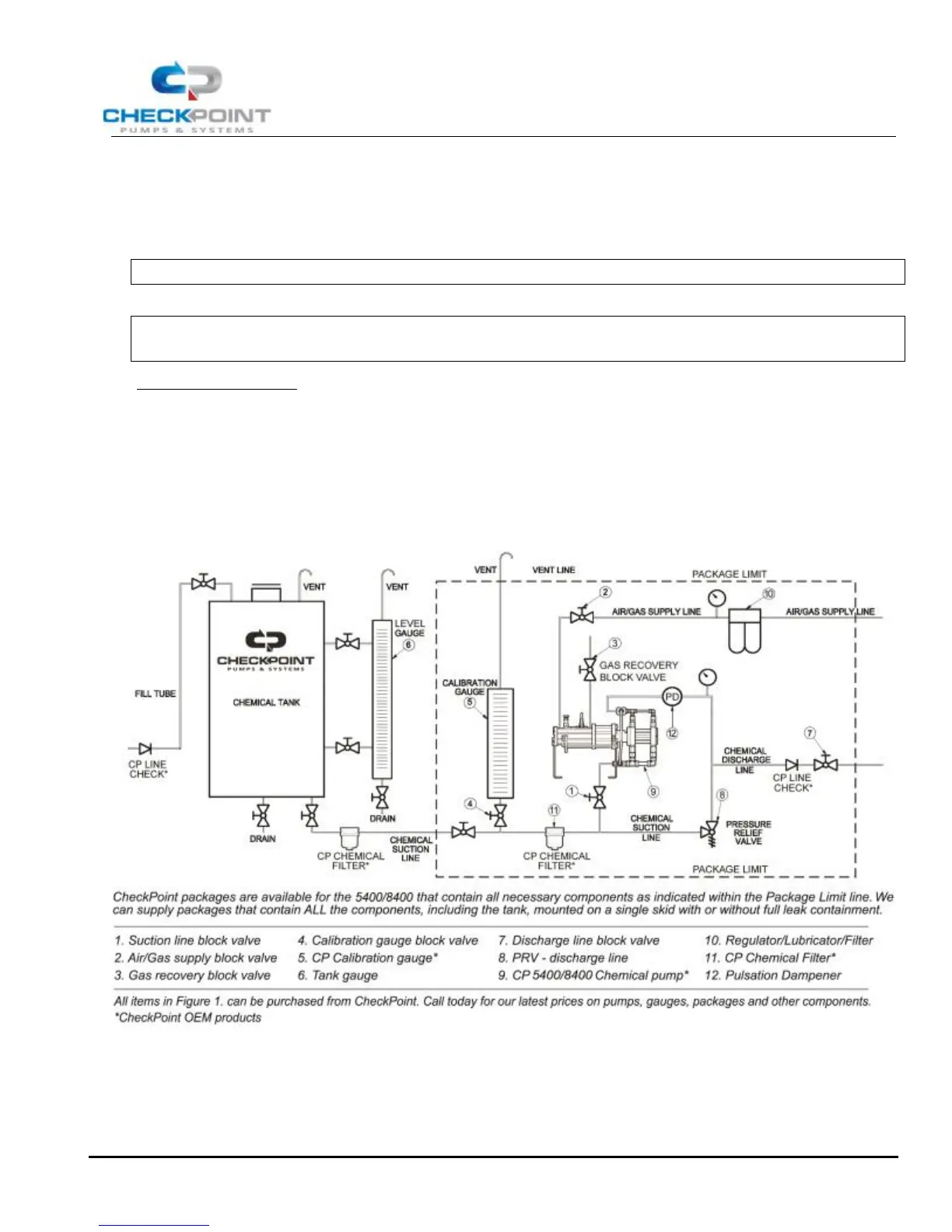
FIGURE 1: TYPICAL INSTALLATION SCHEMATIC
1.1.2 Referring to Figure 1 above, ensure that all necessary components are present in your injection system and
in good working order. All the components shown above are recommended by CheckPoint to maximize productivity
and life of the pump in typical field or plant use. CheckPoint is available to answer your process questions or to help
design and build a skid system utilizing components appropriate for your application.


 To Next Page