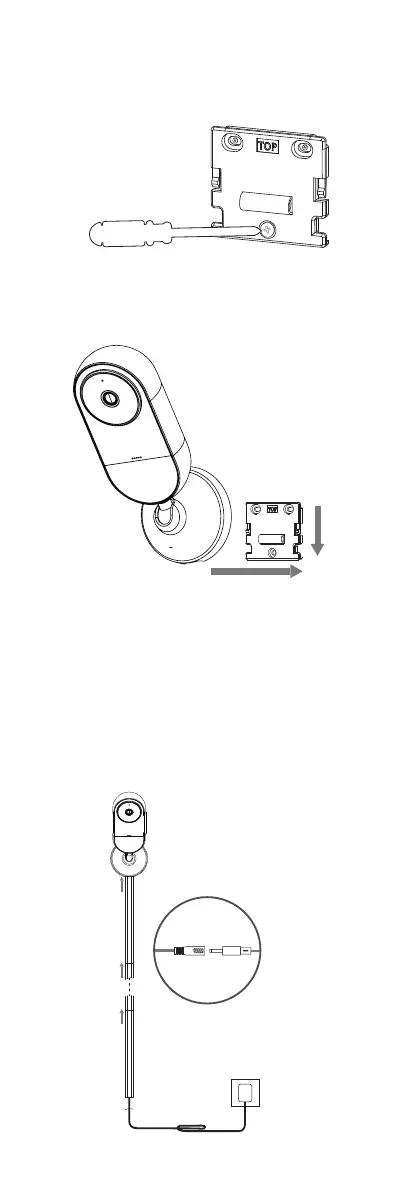
9.Organize the power cable, peel the
tape backing off the Cable Covers, and
firmly adhere the bottom of the cable
covers to the wall.Connect the power
cable with the DC Power Adapter, plug
the power adapter into your outlet.
Make sure that the power outlet you
use is not within your child's reach.
8.Place Cheego monitor over Mounting
Bracket and press it down until it clicks.
7.Adjust the Mounting Bracket using
the built-in level. Once level, tighten the
three screws.
PRESS
SLIDE
Connect with the DC Power Adapter
Organize the extra power cables with velcro.



 To Next Page