20 21
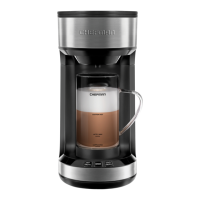
HOW TO HOT FROTH AND BREW
(*Requires frothing mug.)
1. Lift up water tank lid to place water level indicator inside.
2. Paying attention to water levels, pour in desired amount of water.
NOTE: For best results, we recommend 8 oz. filtered water.
3. Plug in appliance. NOTE: All buttons will blink once, indicating appliance
is on.
4. To open brew chamber, push lid release button.
5. Add K-Cup® or coffee grounds. (Refer back to page 4).
6. Push down brew chamber lid to close.
7. Pour desired amount of milk into frothing mug. Do not fill above LATTE/
MAX line.
8. Place frothing mug under drip spout.
9. Press Brew button. NOTE: Brew button will illuminate, and Hot Froth will
blink.
OPERATING INSTRUCTIONS
10. Select Hot Froth button as it blinks. NOTE: Order of buttons pressed does
not affect the brewing cycle. Frothing cycle always runs first.
11. Frother on bottom of mug will spin, aerating and frothing milk.
12. After frothing is complete, appliance begins brewing and coffee will
disperse into mug.
13. Hot Froth and Brew buttons will blink, indicating both cycles are almost
finished.
14. Once appliance stops running, carefully remove hot mug and enjoy!
15. Always remove and dispose of K-Cup
®
and/or coffee grounds after
brewing.
OPERATING INSTRUCTIONS



 To Next Page