Using The Chettle
™
Plug the unit into a wall socket.
Fill the kettle with desired amount of water.
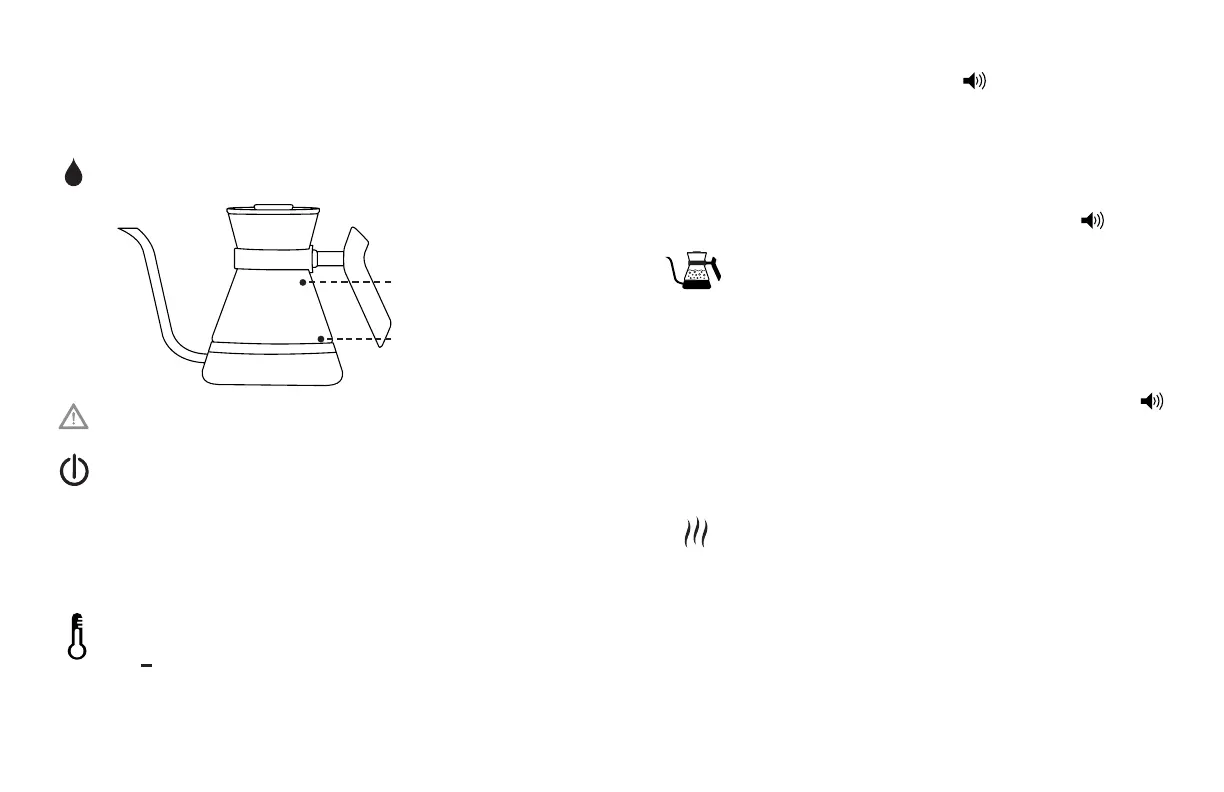
Always fill the water between the minimum and maximum
level marks on the back of the kettle.
Too little water will result in the Chettle switching OFF before the water has boiled. Filling
above maximum level mark may result in boiling water splashing from the Chettle.
Turn The Chettle ON
Turn the Chettle ON by pressing and releasing the ON/OFF
button - you will know when your unit is on because the
display will light up.
Note that the last temperature setting will show on the display. If you would like to
change between Celsius or Fahrenheit degrees press the "Keep Warm" button for
3 seconds. The base will keep this selection until changed manually.
Setting Temperature & using the Rapid Boil feature
Set the temperature by pressing the (higher temp)
and (lower temp) symbols.
By holding down either the + or - symbols, the numbers will move more rapidly.
Fine tuning can be done by pressing the buttons once. Temperature range is
38 – 100 Celsius or 94 – 212 Fahrenheit.
Once desired temperature is located, press the symbol, you
will hear a single acoustic signal.
Temperature indicator (located to the right of the displayed
temperature) turns from yellow to orange to red as the
temperature rises. The symbol will blink during the process.
When the desired temperature is reached the symbol will
stop blinking and there will be 3 acoustic signals.
Rapid Boil Function
If a specific temperature is not required and you wish to simply
boil the water, use the “Rapid Boil” function.
Set the temperature by pressing the (higher temp) to the
maximum (212°F or 100°C)
Press the symbol, you will hear a single acoustic signal.
When the water reaches boiling the symbol will stop
blinking and there will be 3 acoustic signals.
Activating the Keep Warm Function
The “Keep Warm” function allows the kettle to sit for thirty minutes
after heating process while maintaining the temperature. It also
provides the ability to maintain the temperature throughout the
brewing process.
If the “Keep Warm” function is selected within 90 seconds
of the end of heating process, the “Keep Warm” symbol starts
blinking and the “Keep Warm” function will be activated for 30
minutes. If it is not selected within 90 seconds, the base will go
to “Stand By”.
MAX Fill level
MIN Fill level


 To Next Page