6
11 Certifications
11.1 Federal
Communications
Commission (FCC)
Radio Frequency
Interference Statement
This device complies with part 15 of the
FCC Rules. Operation is subject to the fol-
lowing two conditions: (1) This device may
not cause harmful interference, and (2)
this device must accept any interference
received, including interference that may
cause undesired operation.
Note: This equipment has been tested and
found to comply with the limits for a Class
B digital device, pursuant to part 15 of the
FCC Rules. These limits are designed to
provide reasonable protection against
harmful interference in a residential
installation. This equipment generates,
uses and can radiate radio frequency
energy and, if not installed and used in
accordance with the instructions, may
cause harmful interference to radio
communications. However, there is no
guarantee that interference will not occur
in a particular installation. If this
equipment does cause harmful
interference to radio or television
reception, which can be determined by
turning the equipment off and on, the
user is encouraged to try to correct the
interference by one or more of the
following measures:
• Reorient or relocate the receiving
antenna.
• Increase the separation between the
equipment and receiver.
• Connect the equipment into an outlet
on a circuit different from that to which
the receiver is connected.
• Consult the dealer or an experienced
radio/TV technician for help.
Caution: Any changes or modifications not
expressly approved by the party
responsible for compliance could void the
user's authority to operate the equipment.
11.2 For UL
For use with Listed Personal Computers
only!
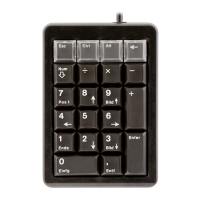
CHERRY G84-4700
Corded Keypad (PS/2)
1 Raccorder l'appareil
1 Eteignez le système.
2 Retirez le connecteur PS/2 du clavier
standard.
3 Branchez le connecteur PS/2 du pavé de
touches dans la prise correspondante
du système.
4 Raccordez le clavier standard à la prise
PS/2 du pavé de touches.
5 Remettez le système sous tension.
2 Configuration
Vous pouvez affecter librement jusqu’à 24
caractères par touche aux 4 touches
supplémentaires. Vous pouvez affecter des
touches restantes (sauf la touche Num) en
mode 4.
La configuration est inscrite dans la
mémoire interne du pavé de touches. Elle
est conservée même lorsque le câble de
raccordement a été débranché.
1 Appuyez sur la touche supplémentaire
que vous souhaitez configurer tandis
que vous maintenez la touche Num
enfoncée.
EN
FR
MODE D’EMPLOI


 To Next Page