11
1.2 Energy-saving function
When not in use, the mouse switches to a
sleep mode which requires almost no
power. The first movement switches it back
on automatically. You therefore do not need
to switch the mouse off if it is not moved.
When the mouse is transported, it
recognises this as movement and is
permanently activated. Therefore, to save
the battery, you should switch the mouse off
during transport (switch in OFF position).
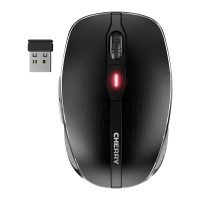
1.3 Battery status LED
After the LED flashes red, the battery soon
needs to be changed.
1.4 Cleaning the mouse
1 Clean the mouse with a slightly damp
cloth and some mild cleaning agent
(e.g. dishwashing liquid).
2 Dry off the mouse with a soft, lint-free
cloth.
CAUTION: Damage may be
caused by harsh cleaning agents
or liquids in the mouse
• Do not use solvents such as gasoline or
alcohol and scouring agents or scouring
sponges for cleaning.
• Prevent liquids from entering the
mouse.



 To Next Page