Need help?
Do you have a question about the Cherry MW 8 ADVANCED and is the answer not in the manual?
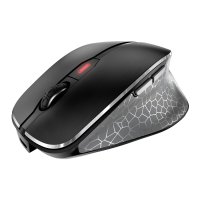
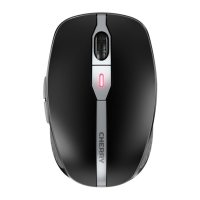
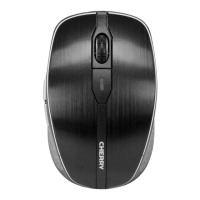
Explains the DPI switch function for adjusting pointer sensitivity and its associated LED status indication.
Details the status LED's behavior, indicating battery level and current DPI resolution settings.
Identifies the location and purpose of the charging socket for the mouse's power cable.
Describes the function of the forward and back buttons for web browser navigation.
Explains the three-position switch for turning the mouse off, using RF wireless, or Bluetooth.
Details the button used to initiate or manage the Bluetooth pairing and connection process.
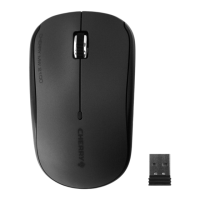
Describes the receiver used for wireless RF connection, essential for plug-and-play functionality.
Guide to connect the mouse to a PC/laptop using Bluetooth, including troubleshooting for connection issues.
Instructions on how to connect the mouse to a PC/laptop using the included USB receiver for RF transmission.
How to change the mouse's DPI setting using the dedicated button and understanding the LED indicators for each level.
Instructions on how to charge the mouse when the battery is low, connecting it via the charging cable.
Information on the proper disposal of the device, noting the non-replaceable lithium-ion battery.
Official declaration that the radio system model conforms to European Union guidelines and directives.
Statement regarding compliance with FCC rules for radio frequency interference and operational conditions.
Information pertaining to UL certification, indicating suitability for use with specific listed personal computers.
 General
| Purpose | - |
|---|---|
| Scroll type | Wheel |
| Buttons type | Pressed buttons |
| Certification | cURus, CE, FCC |
| Frequency band | 2.4 GHz |
| Buttons quantity | 6 |
| Device interface | Bluetooth + USB Type-A |
| Recommended usage | Universal |
| Scrolling directions | Vertical |
| Number of scroll wheels | 1 |
| Programmable mouse buttons | No |
| Movement detection technology | Optical |
| Customizable movement resolution | Yes |
| Number of movement resolution modes | 4 |
| Form factor | Ambidextrous |
| Product color | Black |
| LED indicators | Activity |
| Surface coloration | Monochromatic |
| Wireless receiver interface | USB Type-A |
| Package type | Box |
| Package depth | 112 mm |
| Package width | 86 mm |
| Package height | 50 mm |
| Package weight | 160 g |
| Cables included | USB Type-A to USB Type-C |
| Battery type | Built-in battery |
| Power source | Batteries |
| Battery capacity | 550 mAh |
| Battery technology | Lithium |
| Storage temperature (T-T) | -15 - 60 °C |
| Operating temperature (T-T) | 0 - 40 °C |
| Harmonized System (HS) code | 84716070 |
 Weight and Dimensions
| Depth | 99 mm |
|---|---|
| Width | 62.5 mm |
| Height | 33.5 mm |
| Weight | 92 g |
| Receiver height | 6.5 mm |
| Receiver weight | 3 g |

 To Next Page