EasyManua.ls Logo

Cherryman AMBER Series - User Manual

Cherryman AMBER Series
23 pages
Print Icon
To Next Page IconTo Next Page
Loading...
ASSEMBLY INSTRUCTIONS
AMBER
A121/A421/A821/A921
Step 01 Step 02
Step 03
All manuals and user guides at all-guides.com
all-guides.com
Question and Answer IconNeed help?

Do you have a question about the Cherryman AMBER Series and is the answer not in the manual?

Summary

AMBER A121;A421;A821;A921 Assembly

Step 01

Initial configuration of desk components.

Step 02

Connecting desk side panels.

Step 03

Attaching the desk surface.

AMBER A131 Assembly

Step 01

Initial setup of cubicle panels.

Step 02

Connecting cubicle panels.

Step 03

Assembling the desk surface.

AMBER A221;A222;A230;A231 Assembly

Step 01

First stage of panel connection.

Step 02

Second stage of panel connection.

Step 03

Connecting desk components.

Step 04

Attaching the desk surface.

AMBER A321;A322 Assembly

Step 01

Initial panel assembly.

Step 02

Connecting panels.

Step 03

Desk frame assembly.

Step 04

Desk surface attachment.

AMBER A324;A824;A924 Assembly

Step 01

Panel connection.

Step 02

Desk surface attachment.

AMBER A326 Assembly

Step 01

Base unit assembly.

Step 02

Vertical component attachment.

Step 03

Connecting shelf unit.

Step 04

Adding storage components.

Step 05

Finalizing unit assembly.

AMBER A328 Assembly

Step 01

Panel assembly.

Step 02

Connecting panels.

Step 03

Base construction.

Step 04

Shelf installation.

AMBER A330 Assembly

Step 01

Panel connection.

Step 02

Connecting panels.

Step 03

Corner assembly.

Step 04

Desk surface attachment.

AMBER A331 Assembly

Step 01

Base component placement.

Step 02

Attaching vertical panels.

Step 03

Connecting corner panels.

Step 04

Assembling corner unit.

Step 05

Adding shelves.

Step 06

Finalizing corner desk.

AMBER A426;A427;A428;A429;A926 Assembly

Step 01

Base shelf assembly.

Step 02

Vertical panel attachment.

Step 03

Connecting desk sides.

Step 04

Adding middle shelf.

Step 05

Attaching top surface.

Step 06

Finalizing desk assembly.

AMBER A540 Assembly

Step 01

Base construction.

Step 02

Attaching side panels.

Step 03

Adding shelves.

Step 04

Further shelf installation.

Step 05

Assembling cabinet frame.

Step 06

Adding doors.

AMBER A620;A630;A631 Assembly

Step 01

Panel assembly.

Step 02

Connecting panels and pole.

Step 03

Desk surface attachment.

AMBER A621;A622 Assembly

Step 01

Panel connection.

Step 02

Connecting panels.

Step 03

Desk frame assembly.

Step 04

Desk surface attachment.

AMBER A623;A823;A923 Assembly

Step 01

Panel connection.

Step 02

Desk surface attachment.

AMBER A720;A723 Assembly

Step 01

Panel assembly.

Step 02

Connecting panels.

Step 03

Desk surface attachment.

AMBER A721;A726 Assembly

Step 01

Base assembly.

Step 02

Desk surface attachment.

AMBER A728;A729 Assembly

Step 01

Desk segment assembly.

Step 02

Connecting desk segments.

Step 03

Attaching support structure.

Step 04

Final desk assembly.

AMBER A822 Assembly

Step 01

Panel connection.

Step 02

Connecting panels.

Step 03

Desk surface attachment.

AMBER A825;A925 Assembly

Step 01

Panel assembly.

Step 02

Connecting panels.

Step 03

Desk surface attachment.

AMBER A829 Assembly

Step 01

Base panel assembly.

Step 02

Attaching bottom shelf.

Step 03

Connecting side panels.

Step 04

Assembling unit frame.

Step 05

Installing shelves.

AMBER A828 Assembly

Step 01

Panel connection.

Step 02

Attaching base shelf.

Step 03

Connecting side panels.

Step 04

Assembling unit frame.

Step 05

Installing shelves.

AMBER A122;A124 Assembly

Step 01

Initial panel and base assembly.

Step 02

Connecting panels and forming unit.

Step 03

Adding shelves to unit.

Step 04

Finalizing desk configuration.

AMBER Tack Board Installation

Tack Board Attachment

Securely attaching the tack board to the hutch.

Overview

This manual provides assembly instructions for various furniture pieces under the "AMBER" series, primarily focusing on office desks, tables, and storage units. The instructions are presented through a series of step-by-step diagrams, illustrating the construction process from individual components to the final assembled product.

Function Description:

The AMBER series offers a range of modular office furniture designed to create functional and organized workspaces. The primary function of these pieces is to provide surfaces for work, storage for office supplies and documents, and structural support for various office configurations. The modular nature allows for customization and adaptation to different office layouts and user needs.

The core components include:

  • Desks: These are the central work surfaces, available in various shapes and sizes, including rectangular, L-shaped, and corner desks. They provide a stable platform for computers, paperwork, and other work-related items.
  • Storage Units: These include hutches, credenzas, and bookcases, designed to organize and store office essentials. They feature shelves, compartments, and sometimes doors, offering both open and concealed storage options.
  • Tables: Meeting tables and smaller side tables are also part of the series, facilitating collaborative work or providing additional surface area.
  • Support Structures: These are the foundational elements, such as side panels, back panels, and modesty panels, which provide stability and define the shape of the furniture.

The overall function is to create an efficient and aesthetically pleasing office environment, supporting various work styles from individual tasks to team collaborations.

Usage Features:

The AMBER furniture series is designed for practical and versatile use in an office setting.

  • Modular Design: A key feature is the modularity, allowing users to combine different pieces to create custom workstations. For example, a rectangular desk (A121/A421/A821/A921) can be assembled with side and back panels to form a basic desk. This can then be integrated with corner units (A330) or extended with additional work surfaces.
  • Variety of Desk Configurations: The series includes a wide array of desk types to suit different needs:
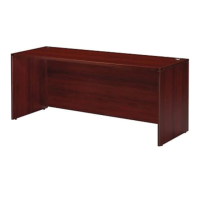
    • Rectangular Desks (e.g., A121/A421/A821/A921, A324/A824/A924, A825/A925): These are standard work surfaces, ideal for individual workstations. The assembly typically involves attaching side panels to a back panel, followed by placing the top surface.
    • L-shaped and Corner Desks (e.g., A221(L)/A222(R), A321(L)/A322(R), A621/A622, A330): These configurations maximize corner space and provide an extended work area, often with a return or a curved section. The assembly involves connecting multiple panel sections to form the L-shape or corner unit, and then securing the corresponding top surfaces. Some L-shaped desks feature a curved or bowed front (e.g., A221/A222, A321/A322, A822), adding an ergonomic or aesthetic touch.
    • Meeting Tables (e.g., A720/A723, A721/A726, A728/A729): These tables are designed for collaborative discussions. Oval-shaped tables (A720/A723, A728/A729) typically involve assembling two or more leg structures and then attaching the tabletop. Round tables (A721/A726) often feature a central pedestal or cross-base structure. Some meeting tables (A728/A729) are designed with multiple segments, suggesting expandability or specific design aesthetics.
  • Integrated Storage Solutions: Many desks and standalone units offer built-in storage:
    • Hutches (e.g., A326, A426/A427/A428/A429/A926): These are storage units that sit on top of desks, providing elevated shelving for books, files, or decorative items. Some hutches include doors for concealed storage. The assembly involves building the base frame, adding shelves, and then attaching the top and any doors.
    • Credenzas and Side Storage (e.g., A540): These units provide a combination of open shelving and enclosed compartments, often with doors. They can be used alongside desks or as standalone storage. The assembly involves constructing the main cabinet frame, inserting shelves, and attaching doors.
    • Bookcases (e.g., A328, A829, A828): These units feature multiple open shelves for organizing books, binders, and other office materials. Assembly typically involves constructing the side and back panels, then inserting and securing the shelves.
  • Cable Management: Some desk designs (e.g., A324/A824/A924, A623/A823/A923, A825/A925) show cutouts or grommets on the desktop, indicating provisions for cable management to keep wires tidy and organized.
  • Reception Area Configurations (e.g., A331): The series includes specialized units for reception areas, featuring curved counters and internal shelving. These units are designed to create a welcoming and functional front-desk environment, often involving multiple curved panels and internal support structures.
  • Tack Board Integration (TACK BOARD FOR 66"/72" HUTCH - GR): This accessory allows for the attachment of a tack board to specific hutch models, providing a surface for pinning notes, reminders, or photos. The diagram shows how the tack board is secured to the hutch structure, likely using screws.

The assembly process for most items follows a logical progression:

  1. Base Structure Assembly: Typically involves connecting side panels to a back panel or modesty panel to form the foundational frame.
  2. Internal Component Installation: Adding shelves, drawers (if applicable, though not explicitly shown with detailed steps for drawer assembly), or other internal dividers.
  3. Top Surface Attachment: Securing the desktop or tabletop to the assembled base.
  4. Accessory/Finishing Touches: Attaching doors, tack boards, or other final elements.

The diagrams clearly illustrate the orientation of components and the sequence of steps, making the assembly process straightforward for users.

Maintenance Features:

The AMBER furniture series, being primarily constructed from wood or wood-composite materials (as implied by the panel-based assembly), generally requires standard furniture maintenance. While the manual does not explicitly detail maintenance instructions, common practices for this type of furniture would apply:

  • Cleaning: Regular dusting with a soft, dry cloth is recommended to prevent dust buildup. For spills or smudges, a damp cloth with a mild, non-abrasive cleaner can be used, followed by drying the surface immediately to prevent moisture damage. Avoid harsh chemicals or abrasive cleaning materials that could damage the finish.
  • Protection: Using coasters for drinks and placemats for hot items can protect desk and table surfaces from stains, heat marks, and scratches. Mouse pads are also advisable for computer workstations.
  • Structural Integrity: Periodically checking and tightening any screws or fasteners (as implied by the assembly steps) can help maintain the structural stability of the furniture over time. Loose connections can lead to wobbling or instability.
  • Environmental Considerations: Maintaining a stable room temperature and humidity level can help prevent warping or cracking of wood-based components. Direct exposure to prolonged sunlight should also be avoided to prevent fading of the finish.
  • Repair: Minor scratches or dings can often be touched up with furniture repair pens or waxes that match the finish. For more significant damage, professional repair might be necessary.

Given the modular nature, individual components could potentially be replaced if damaged, extending the lifespan of the entire unit. The simple, panel-based construction also suggests that disassembly for relocation or reassembly is feasible, though care would be needed to avoid damaging the components during these processes. The "all-guides.com" watermark suggests that this is a generic manual provided by a third-party, and specific material or finish details would likely be found in product-specific documentation or on the manufacturer's website.

Cherryman AMBER Series Specifications

General IconGeneral
CategoryIndoor Furnishing
SeriesAMBER
MaterialWood
StyleModern
DimensionsVaries by product
WeightVaries with product