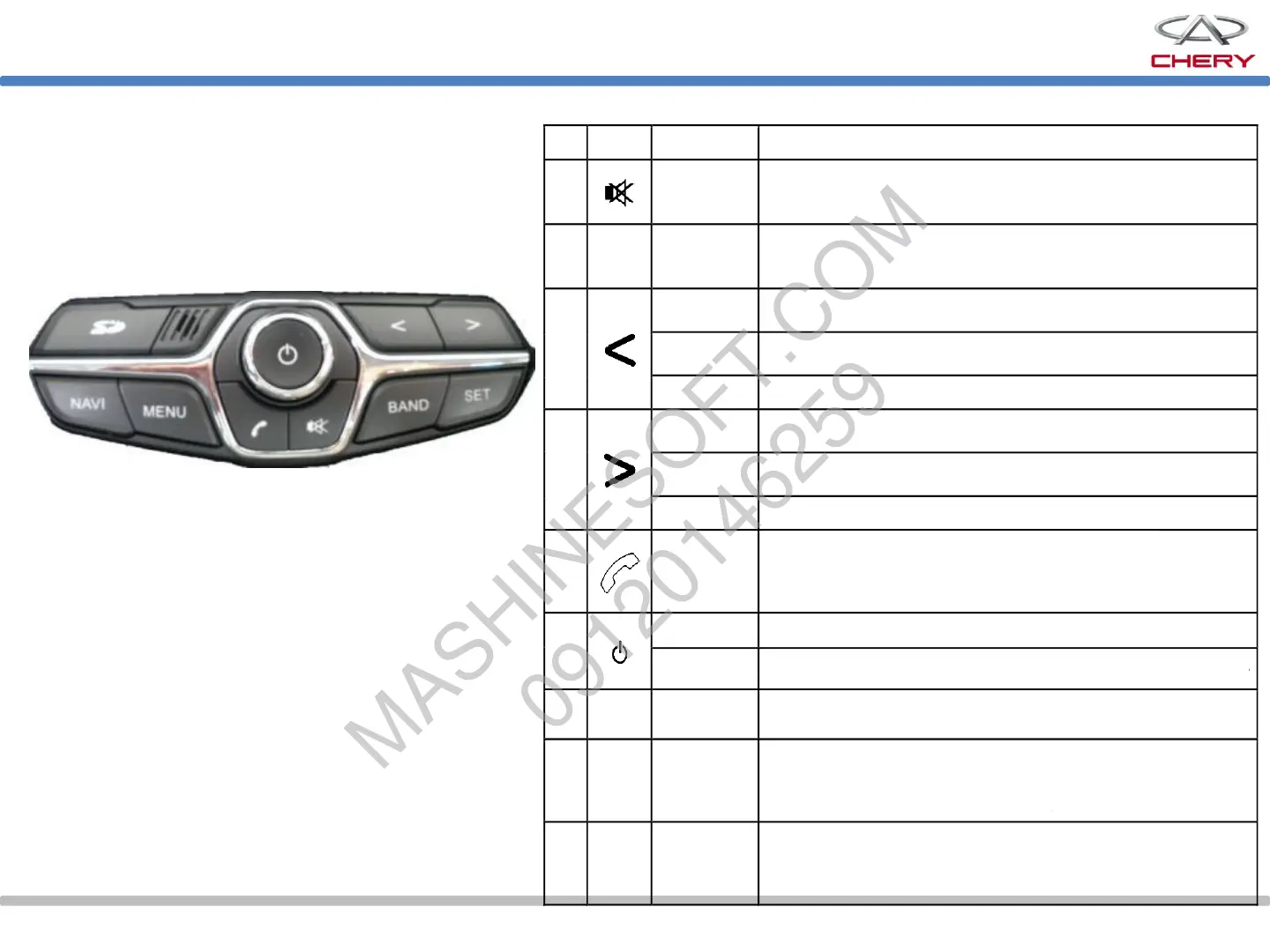
Working range Function Button No.
System mute
Wave band
switchover
Auto tune
Manual tune
Manual tune
Auto tune
Track select
Track select
Bluetooth
System ON/OFF
Set
Main interface
information
Navigation
interface
information
Volume control
Mute when FM, AM or AUX is being played; paused when USB
is connected
FM1, FM2, FM3, AM1 and AM2 can be switched in a cycle. In other play modes,
the system will be switched to radio mode.
Press this button to access the navigation interface (After the access to the main interface, a
dialogue box will pop up. Enter the destination, and a selectable item will be added: no
further
Switch to the overall setting interface including car information setting, sound effect setting,
balance setting, instrument time setting, background setting
In radio mode, press this button to search effective station of the previous
band;
In radio mode, press this button, and move up forward by a step;
In MP3 mode, press this button to select the previous title;
In radio mode, press this button to automatically search the effective station
of the next wave band;
In radio mode, press this button, and move down forward by a step;
In MP3 mode, press this button to select the next title;
Enter Bluetooth mode;
When there is a coming call, press this button to answer the call; press and
hold it to reject the call.
Press the button to turn on or off the device;
Rotate the knob to control the sound volume. To increase the volume, rotate it clockwise; to
reduce the volume, rotate it counterclockwise.
Press this button to access main interface of audio system.


 To Next Page
 Loading...