Unlocking
the
Hubs
1.
Stop your vehicle.
2.
Drive
7
feet
(2
m) in the direction opposite to the
direction
you
were driving before you stopped.
3. Then, press
the
clutch if
you
have a manual
transmission, and shift the transfer case to
TWO-WHEEL
HIGH
(2H).
The hubs will unlock.
Transfer
Case
E
\
\
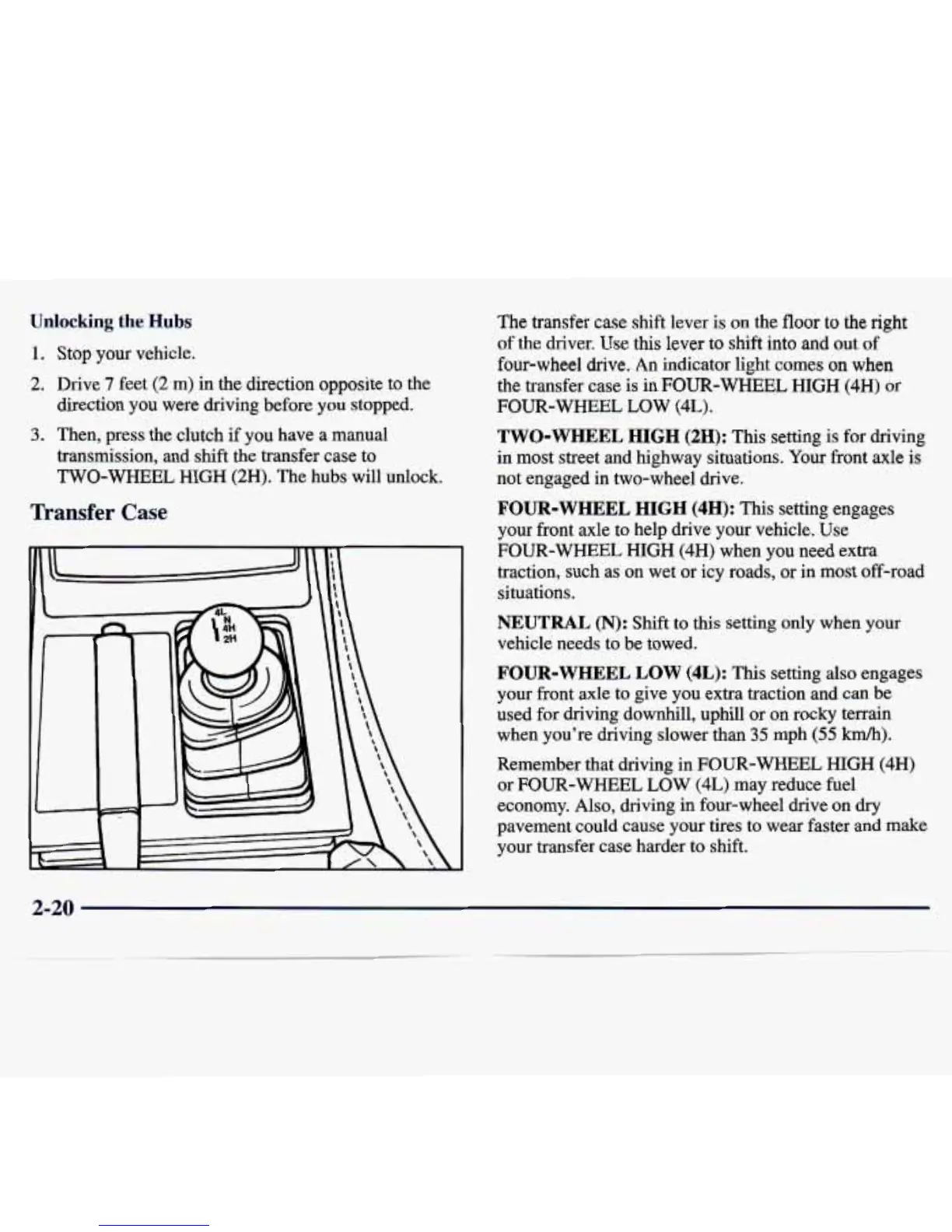
The transfer case shift lever
is
on the floor
to
the
right
of the driver.
Use
this lever
to
shift
into
and
out of
four-wheel drive.
An
indicator light comes
on
when
the transfer case is in FOUR-WHEEL
HIGH
(4H)
or
FOUR-WHEEL LOW
(4L).
TWO-WHEEL HIGH
(2H):
This setting
is
for driving
in
most
street and highway situations.
Your
front axle is
not engaged in two-wheel drive.
FOUR-WHEEL
HIGH
(4H):
This setting engages
your front axle to help drive your vehicle. Use
FOUR-WHEEL
HIGH
(4H)
when
you
need extra
traction, such as on wet or icy roads,
or
in most off-road
situations.
NEUTRAL
(N):
Shift
to
this setting
only
when
your
vehicle needs
to
be towed.
FOUR-WHEEL LOW (4L):
This setting
also
engages
your front axle to give you extra traction and can be
used for driving downhill, uphill or on rocky terrain
when you’re driving slower than 35 mph (55
km/h).
Remember that driving in
FOUR-WHEEL
HIGH
(4H)
or
FOUR-WHEEL
LOW
(4L)
may reduce fuel
economy. Also, driving in four-wheel drive on
dry
pavement could cause your tires to wear faster and make
your transfer case harder to shift.
2-20



 To Next Page